Overcoming Low-Resolution Microscopy: Advanced AI Strategies for Accurate Egg Identification in Biomedical Research
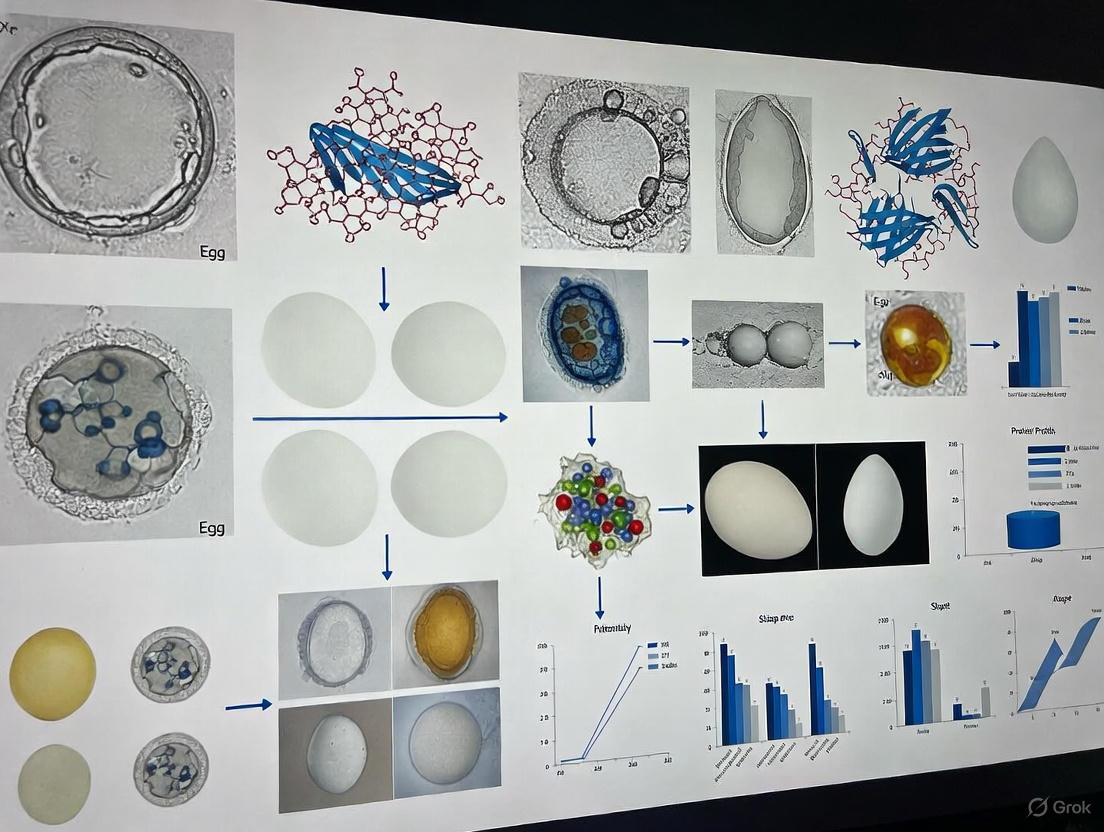
This article provides a comprehensive guide for researchers and drug development professionals on handling low-resolution microscopic images for egg identification, a common challenge in parasitology and biomedical studies.
Overcoming Low-Resolution Microscopy: Advanced AI Strategies for Accurate Egg Identification in Biomedical Research
Abstract
This article provides a comprehensive guide for researchers and drug development professionals on handling low-resolution microscopic images for egg identification, a common challenge in parasitology and biomedical studies. It explores the fundamental limitations of low-resolution imaging and details how cutting-edge deep learning and AI-enhanced microscopy techniques can overcome these hurdles. The content covers practical methodologies for image enhancement and automated detection, troubleshooting for common imaging errors, and a comparative analysis of traditional versus modern AI-driven approaches. By synthesizing the latest research, this article serves as a strategic resource for improving diagnostic accuracy, accelerating research workflows, and enabling reliable analysis even with cost-effective or resource-limited microscopy setups.
The Low-Resolution Challenge: Understanding the Impact on Egg Identification Accuracy
Frequently Asked Questions
Q1: What specific morphological features become indecipherable in low-resolution microscopic images of parasite eggs? In low-resolution images, critical features for species identification are lost. These include the texture and thickness of the eggshell, the presence and characteristics of an operculum (lid), the internal structures of the developing larva, and subtle variations in shape and size that are essential for differentiating between morphologically similar species [1] [2]. With insufficient detail, eggs from different species can appear nearly identical, leading to misclassification.
Q2: How does low resolution directly impact the performance of automated detection systems? Low resolution causes a significant drop in detection and classification accuracy for automated systems like deep learning models. The models lack sufficient pixel data to learn discriminative features [2]. This is compounded by a higher likelihood of missing small eggs entirely and an increased confusion with background debris and impurities, as the model cannot reliably distinguish fine egg contours from noise [3] [2].
Q3: Are there computational methods to mitigate the problems caused by low-resolution images? Yes, several computational approaches can help. Image enhancement techniques, such as contrast manipulation, can broaden the range of brightness values to improve feature visibility [4] [5]. Advanced deep learning models, like the YAC-Net or YCBAM, are specifically designed to be more efficient with limited data and can integrate attention mechanisms to focus on the most relevant image regions [1] [3]. Furthermore, transfer learning with pre-trained networks can boost classification performance on poor-quality images by leveraging features learned from larger datasets [2].
Experimental Protocols for Analysis
Protocol 1: Evaluating Detection Performance Across Resolutions
This protocol outlines a method to quantitatively assess how image resolution affects the accuracy of a deep learning model in detecting parasite eggs.
- Dataset Preparation: Collect a dataset of high-resolution microscopic images of parasite eggs, confirmed by expert annotation [2].
- Resolution Degradation: Downsample the high-resolution images to simulate various low-resolution conditions (e.g., from 1000x to 10x magnification levels) [2].
- Model Training: Train a standard object detection model (e.g., a YOLO-based architecture) on the original high-resolution dataset. For comparison, train another model on the downsampled, low-resolution images [1] [2].
- Performance Metrics: Evaluate and compare both models using a separate test set. Key metrics to record are detailed in Table 1 below.
Protocol 2: Contrast Enhancement for Feature Improvement
This protocol describes a standard method for improving contrast in low-resolution images to aid visual inspection and automated analysis.
- Image Conversion: Convert the original RGB image to grayscale to reduce computational complexity [2].
- Histogram Analysis: Generate an RGB intensity histogram of the image to visualize its dynamic range [4].
- Apply Intensity Transformation: Use an intensity transfer function to stretch the histogram. This function broadens the range of brightness values in the mid-range levels of each color channel, resulting in an overall increase in perceived contrast [4] [5].
- Validation: Visually inspect the enhanced image to confirm that the edges and contours of target eggs are more distinct from the background.
Data Presentation
Table 1: Impact of Microscope Resolution on Parasite Egg Classification
The following table compares the performance of a Convolutional Neural Network (CNN) when classifying parasite eggs from images taken with different microscope types.
| Microscope Type | Magnification | Approximate Resolution | Model Precision | Model Recall | Key Limitations |
|---|---|---|---|---|---|
| High-Quality Microscope [2] | 1000x | High (detailed texture visible) | >97% [3] | High [3] | Expensive; limited availability in resource-constrained settings [2]. |
| Low-Cost USB Microscope [2] | 10x | 640 x 480 pixels | Lower than high-resolution models [2] | Lower than high-resolution models [2] | Lacks detail for species classification; low contrast; abundant impurities [2]. |
Table 2: Reagent and Computational Toolkit for Low-Resolution Image Research
This table lists key software and methodological solutions used in research to address challenges in low-resolution microscopic image analysis.
| Tool / Solution | Type | Primary Function |
|---|---|---|
| Transfer Learning (AlexNet, ResNet50) [2] | Computational Method | Leverages features from large image datasets to improve classification on smaller, low-resolution medical image sets. |
| Patch-Based Sliding Window [2] | Image Analysis Technique | Divides a large, low-resolution image into smaller patches to systematically search for and localize small objects like parasite eggs. |
| YAC-Net [1] | Lightweight Deep Learning Model | A modified YOLOv5n architecture designed for accurate parasite egg detection with reduced computational requirements. |
| YCBAM (YOLO Convolutional Block Attention Module) [3] | Deep Learning Model with Attention | Integrates self-attention mechanisms to help the model focus on spatially relevant features like egg boundaries in complex backgrounds. |
| Intensity Transfer Function [4] | Image Processing Algorithm | Increases image contrast by mapping input pixel brightness to a wider range of output values, making features more distinguishable. |
Workflow Diagrams
Diagram 1: Low-Resolution Analysis Problem Pathway
Diagram 2: Computational Enhancement Solution Workflow
In biological research, particularly in specialized fields like egg identification, the quality of microscopic images is paramount. Image degradation can stem from a multitude of sources, ranging from the fundamental physical limits of optics to practical errors in sample handling. For researchers relying on techniques such as RNA-FISH or immunofluorescence to study oocytes or early embryos, these artifacts can obscure critical details of gene expression and cellular structure, leading to inaccurate data. Understanding and mitigating these sources of degradation is a critical first step toward obtaining reliable, high-quality results for your analysis.
Troubleshooting Guides & FAQs
Frequently Asked Questions
Q1: Our fluorescence microscopy images for RNA localization in eggs have inconsistent spot detection. What could be causing this? A1: Inconsistent signal puncta (discrete spots) in images, such as those from RNA-FISH, are often caused by varying background noise and signal intensity across samples. Manual or semi-automated quantification of these images is labor-intensive, biased, and difficult to reproduce [6]. We recommend using fully automated software tools like TrueSpot, which uses an automated threshold selection algorithm to handle images with varying background noise, resulting in higher precision and recall compared to other tools [6].
Q2: Our Atomic Force Microscopy (AFM) images of zona pellucida samples are too low-resolution or contain streaks. How can we improve them without damaging the sample with long scan times? A2: Achieving high resolution in ambient AFM is often hampered by slow scanning speeds, which can also risk damaging soft biological samples. Furthermore, AFM scans can contain inherent artifacts like streaking [7]. A viable solution is to acquire lower-pixel-resolution images to reduce measurement time and then enhance them using deep learning models. These models have been shown to outperform traditional interpolation methods, successfully upscaling images and eliminating common artifacts like streaking [7].
Q3: What are the most common sample preparation errors that lead to artifacts in SEM images of biological specimens? A3: For biological specimens, preparation is a common source of artifacts. Key errors include:
- Drying Effects: Improper drying can cause shrinking or distortion of delicate cellular structures [8].
- Charging: Imaging non-conductive materials without an adequate conductive coating can lead to charge accumulation, distorting the image [8].
- Beam Damage: Sensitive biological materials may degrade under the electron beam if the parameters are not optimized [8].
- Contamination: Residual particles or films on the specimen surface can lead to misleading images [8].
Q4: How can we achieve long-term, high-fidelity live-cell imaging of developmental processes without excessive phototoxicity? A4: Traditional super-resolution techniques often trade off between resolution, speed, and phototoxicity. New computational approaches can help. The DPA-TISR (Deformable Phase-Space Alignment for Time-Lapse Image Super-Resolution) neural network is designed for this purpose. It leverages temporal dependencies between consecutive frames to transform low-resolution, low-light time-lapse images into super-resolution sequences with high fidelity and temporal consistency, enabling multicolor live-cell SR imaging for over 10,000 time points [9].
Troubleshooting Guide: Identifying and Solving Common Issues
The table below summarizes common issues, their potential causes, and solutions.
| Category | Specific Issue | Potential Cause | Recommended Solution |
|---|---|---|---|
| Signal Detection | Inconsistent spot quantification in fluorescence images | Varying background noise; manual thresholding [6] | Use automated detection software (e.g., TrueSpot) with robust thresholding [6] |
| Low signal-to-noise ratio | Low photon count; detector inefficiency [8] | Increase signal averaging; use more sensitive detectors (e.g., EMCCD, sCMOS); optimize staining protocol | |
| Microscopy Technique | Low resolution in AFM | Slow scanning speed to avoid damage; tip bluntness [7] | Acquire fast, low-resolution scans and enhance with deep learning models [7] |
| Artifacts (e.g., streaking) in AFM | Scanning distortions; tip-sample interactions [7] | Apply deep learning models which can eliminate such artifacts during enhancement [7] | |
| Charging in SEM | Electron accumulation on non-conductive samples [8] | Apply a thin, uniform conductive coating (e.g., gold, carbon); use low-voltage imaging [8] | |
| Sample Preparation | Shrinking or distortion of biological samples | Improper drying techniques (e.g., air drying) [8] | Use critical point drying or cryo-preparation methods (e.g., cryo-SEM) [8] |
| Beam damage in SEM or TEM | Excessive electron beam current or dose [8] | Use lower beam energy; reduce exposure time; use cryo-conditions to stabilize the sample [8] | |
| Contamination | Dirty sample surface or holder [8] | Ensure thorough cleaning of sample and holder prior to insertion into the microscope [8] |
Quantitative Data & Experimental Protocols
Performance Comparison of Image Enhancement Techniques
The following table summarizes quantitative metrics comparing traditional and deep-learning methods for enhancing low-resolution AFM images, based on a study that upscaled images from 128x128 to 512x512 pixels. Higher PSNR and SSIM values indicate better fidelity to the ground-truth high-resolution image [7].
| Method / Model | Type | PSNR (Higher is Better) | SSIM (Higher is Better) |
|---|---|---|---|
| Bilinear | Traditional | 29.02 | 0.901 |
| Bicubic | Traditional | Data not fully specified | Data not fully specified |
| Lanczos4 | Traditional | Data not fully specified | Data not fully specified |
| NinaSR-B0 | Deep Learning | Data not fully specified | Data not fully specified |
| RCAN | Deep Learning | Data not fully specified | Data not fully specified |
| EDSR | Deep Learning | Data not fully specified | Data not fully specified |
Note on Findings: The study concluded that deep learning models outperformed traditional methods, yielding better results for super-resolution tasks in AFM. While specific values for each model were not fully listed in the provided excerpt, the deep learning models collectively demonstrated superior ability to enhance resolution and fidelity, and even completely eliminated common AFM artifacts like streaking [7].
Protocol: Enhancing Low-Resolution AFM Images Using Pre-Trained Deep Learning Models
This protocol is adapted from research on enhancing low-resolution AFM images of complex surfaces, which is applicable to biological membranes and surfaces [7].
Objective: To convert a low-resolution (128 x 128 pixel) AFM image into a high-resolution (512 x 512 pixel) image using a pre-trained super-resolution (SR) deep learning model.
Materials:
- Low-resolution AFM image (.tiff, .png, or compatible format).
- Computer with Python and PyTorch/TensorFlow installed.
- Pre-trained SR model (e.g., NinaSR, RCAN, CARN, RDN, EDSR).
Procedure:
- Image Acquisition: Acquire an AFM image of your sample at a low pixel resolution (128 x 128). For validation purposes, you may also acquire a high-resolution (512 x 512) image of the same area to serve as ground truth.
- Data Preprocessing:
- Load your low-resolution image into the computational environment.
- Normalize the pixel values to a range suitable for the model (e.g., [0, 1]).
- If the model requires specific input dimensions, resize the image accordingly.
- Model Application:
- Load the pre-trained weights of your chosen SR model (e.g., EDSR).
- Pass the preprocessed low-resolution image through the model to generate a 4x upscaled (super-resolved) image.
- Post-processing:
- Convert the model's output back to the original data range (e.g., 0-255 for 8-bit image display).
- Save the enhanced super-resolution image.
- Validation (Optional):
- Compare the enhanced image to the ground truth high-resolution image using fidelity metrics like PSNR and SSIM to quantitatively assess the improvement [7].
Visualization of Concepts & Workflows
Diagram 1: Decision Workflow for Addressing Microscope Image Degradation
The Scientist's Toolkit: Research Reagent Solutions
Key Research Reagents for Fluorescence Microscopy
This table details essential reagents and materials used in advanced fluorescence microscopy techniques, crucial for experiments like imaging gene expression in eggs.
| Reagent / Material | Function in Experiment | Specific Example / Note |
|---|---|---|
| Fluorescent Dyes & Labels | Tagging specific biomolecules (e.g., RNA, proteins) for visualization under a microscope. | Used in RNA-FISH and immunofluorescence to label individual RNA molecules or proteins [6]. |
| Conductive Coating Materials | Applied to non-conductive biological samples to prevent charging artifacts in electron microscopy. | Gold, carbon, or platinum-palladium; applied via sputter coating to create a thin, conductive layer [8]. |
| Cryo-Preparation Chemicals | Preserving the native state of biological structures by rapid freezing, avoiding drying artifacts. | Used in cryo-SEM and cryo-TEM; involves plunge freezing in ethane slush or high-pressure freezing [8]. |
| Wiener-Butterworth (WB) Deconvolution | A computational algorithm used to enhance image resolution and clarity during post-processing. | Used in SPI microscopy for non-iterative rapid deconvolution, providing ~40x faster processing than traditional methods [10]. |
| Fixed Biological Specimens | Prepared samples for method validation and testing of imaging protocols. | Biological specimens such as β-tubulin, mitochondria, and peroxisomes are used to validate microscope performance [10]. |
Frequently Asked Questions (FAQs)
FAQ 1: What are the precise morphological dimensions of a pinworm egg, and why do these measurements pose a detection challenge? Pinworm eggs (Enterobius vermicularis) measure 50–60 μm in length and 20–30 μm in width [11] [12] [13]. Their small size places them at the limit of visibility for the human eye and makes them difficult to resolve in low-resolution or noisy microscopic images, often requiring high magnification for accurate identification [3].
FAQ 2: Beyond their small size, what other morphological characteristics complicate automated image analysis? The eggs are transparent (colorless) and have a distinctive asymmetrical, flattened shape on one side, often described as "slice of bread" shaped [11] [13]. This lack of color contrast and an irregular, non-geometric shape makes it difficult for standard image processing algorithms to distinguish them from background debris or artifacts in a sample [3].
FAQ 3: How does the egg's surface property impact the laboratory environment and sample analysis? The outer shell of pinworm eggs is adhesive [11] [12]. This stickiness causes eggs to readily cling to fingers, under fingernails, clothing, bedding, and dust particles [13]. In a research setting, this increases the risk of sample cross-contamination and can lead to false positives if laboratory surfaces and equipment are not meticulously cleaned [11].
FAQ 4: What is the recommended standard method for diagnosing pinworm infection, and what is its key limitation? The diagnostic gold standard is the cellulose tape test ("Scotch" test), where transparent tape is applied to the perianal skin first thing in the morning to collect eggs, which are then examined under a microscope [11] [14]. A key limitation is its dependence on examiner skill and experience, and its sensitivity can be variable, sometimes requiring multiple tests on consecutive days to confirm a negative result [3] [14].
FAQ 5: What are the most common experimental treatments used in pinworm research, and what is a critical consideration for a successful protocol? Common antihelminthic agents include Albendazole, Mebendazole, and Pyrantel Pamoate [15] [14] [13]. A critical factor for eradicating the parasite in an experimental cohort is treating all individuals within a shared environment simultaneously, even if they are asymptomatic, to prevent rapid reinfection and break the cycle of transmission [15] [13].
Troubleshooting Common Experimental Challenges
Challenge 1: Low detection rate and high false negatives in manual egg counting.
- Potential Cause: The small size and transparency of the eggs make them easy to miss during manual microscopy, especially in samples with a high background of debris [3].
- Solution: Implement an automated detection system. Recent studies have successfully used deep learning models, such as an enhanced YOLO (You Only Look Once) architecture, to achieve precision and recall rates exceeding 97% in detecting pinworm eggs in microscopic images [1] [3]. These models can be trained to recognize the specific morphological features of pinworm eggs, reducing human error.
Challenge 2: Poor image quality and resolution for reliable automated analysis.
- Potential Cause: Standard microscope cameras or settings may not provide sufficient detail for software to distinguish eggs from similarly sized particles.
- Solution: Optimize image acquisition protocols. Ensure consistent and adequate lighting (e.g., Kohler illumination) and use microscopes with high-resolution cameras. For image analysis, employ pre-processing techniques like noise reduction and contrast enhancement to standardize input images before they are fed into the detection algorithm [3].
Challenge 3: Persistent reinfection in a laboratory animal cohort.
- Potential Cause: The sticky, environmental-resistant eggs contaminate the housing environment (bedding, food, water dispensers), leading to repeated transmission [11] [13].
- Solution: Combine antihelminthic treatment with rigorous environmental decontamination. All bedding should be changed and cages thoroughly cleaned with hot water. Linen, towels, and other washable materials should be laundered in hot water simultaneously with treatment administration [14] [13]. Avoid shaking materials to prevent aerosolizing eggs [14].
The table below summarizes the key quantitative data related to Enterobius vermicularis.
Table 1: Pinworm (Enterobius vermicularis) Morphological and Life Cycle Metrics
| Parameter | Specification | Experimental Significance |
|---|---|---|
| Egg Dimensions | 50–60 μm by 20–30 μm [11] [13] | Defines the resolution requirement for imaging systems; target size for object detection models. |
| Egg Maturation Time | Larvae within eggs become infective in 4–6 hours after deposition [11] [13] | Critical for understanding the timeline of infectivity and for designing studies on larval development. |
| Time to Oviposition | Approximately 2–6 weeks after ingestion of eggs [13] | Informs the duration of experimental studies tracking infection and life cycle progression. |
| Adult Female Worm Size | 8–13 mm long by 0.3–0.5 mm wide [11] | Useful for gross anatomical identification in animal models. |
| Adult Male Worm Size | 2–5 mm long by 0.1–0.2 mm wide [11] | Useful for gross anatomical identification in animal models. |
| Estimated Eggs per Gravid Female | Ranges from >10,000 to 16,000 [12] [13] | Indicates the high potential for environmental contamination and transmission from a single worm. |
Experimental Protocols
Protocol 1: Standardized Cellulose Tape Test for Egg Collection This is the primary method for collecting pinworm eggs for imaging and analysis [11] [14].
- Materials: Clear cellulose tape (e.g., "Scotch" tape), microscope slides, disposable gloves.
- Procedure:
- The sample should be collected first thing in the morning, before defecation or bathing [11].
- Cut a 3–4 inch strip of clear tape. With the sticky side down, firmly press the tape over the perianal skin folds.
- Carefully peel the tape away and adhere it, sticky side down, onto a clean microscope slide. Avoid folding the tape or creating air bubbles.
- The slide can then be examined directly under a microscope. Eggs can be viewed in a wet mount or stained with iodine for better visualization [11].
- Technical Notes: For higher diagnostic sensitivity, this process should be repeated for 3 to 5 consecutive mornings [15] [14].
Protocol 2: Workflow for Automated Egg Detection using a Deep Learning Model This protocol outlines the steps to implement a deep learning-based detection system, such as the YCBAM model described in the literature [3].
- Dataset Curation: Collect a large set of microscopic images of pinworm eggs. The dataset must be annotated by experts, meaning each egg in every image is labeled with a bounding box. Models in recent studies were trained on datasets containing over 1,000 images [3].
- Model Selection & Training: Choose a object detection architecture like YOLOv8. Integrate attention modules like the Convolutional Block Attention Module (CBAM) to help the model focus on the small, critical features of the eggs and ignore irrelevant background noise [3]. Train the model on your annotated dataset.
- Validation & Testing: Evaluate the trained model on a separate set of images that it has not seen before. Key performance metrics to calculate include Precision, Recall, and mean Average Precision (mAP) [3].
- Deployment: The trained model can be deployed on a computer connected to a microscope to analyze new samples in real-time or in batch processing.
The following diagram illustrates the logical workflow for this automated detection process:
The Scientist's Toolkit: Research Reagent & Material Solutions
Table 2: Essential Materials for Pinworm Egg Research
| Item | Function / Application | Key Notes |
|---|---|---|
| Clear Cellulose Tape | Collection of eggs from the perianal skin for microscopic analysis. | The standard material for the "tape test"; transparency is critical for light microscopy [11] [14]. |
| Microscope Slides & Coverslips | Preparation of samples for microscopic examination. | Standard equipment for creating wet mounts of tape test samples or other specimens. |
| Iodine Stain | Enhancing the visibility of translucent pinworm eggs under the microscope. | Stains the larval interior, making eggs easier to identify against the background [11]. |
| Antihelminthic Agents (e.g., Albendazole, Mebendazole) | Experimental treatment to eliminate adult worms and disrupt the parasite life cycle. | Typically administered as a single dose, repeated after two weeks to target newly matured worms [15] [13]. |
| Deep Learning Model (e.g., YOLOv8 with CBAM) | Automated detection and quantification of eggs in digital microscope images. | Reduces human error and increases throughput; attention modules (CBAM) are particularly useful for small object detection [3]. |
| Gilson's Fluid | Preservation of ova and parasites for later morphological study. | A fixative solution used in parasitology to preserve eggs for size and developmental studies [16]. |
Limitations of Traditional Manual Examination and Human Visual Perception
Frequently Asked Questions (FAQs)
Q1: What are the primary limitations of human visual perception when analyzing low-resolution microscopic images?
Human visual perception struggles with low-resolution images due to several inherent limitations. When image resolution drops as low as 5 pixels per character dimension, critical details become indistinguishable, leading to significant identification errors [17]. Human analysts also face challenges with visual fatigue during prolonged examination, resulting in decreased concentration and increased oversight rates. Furthermore, human perception has limited ability to simultaneously process multiple visual features, making it difficult to identify subtle patterns or slight variations between similar specimens, especially when dealing with highly similar morphological structures [18].
Q2: How do computational methods address the limitations of manual examination for egg identification?
Computational approaches, particularly deep learning models, overcome human limitations through several mechanisms. They employ data augmentation techniques to simulate various image conditions, creating training variations that enhance model robustness [19]. Advanced feature extraction using convolutional neural networks automatically learns discriminative features that may be imperceptible to human observers [17]. These models also provide quantitative assessment capabilities, eliminating subjective bias through consistent, measurable evaluation criteria [18]. For low-resolution challenges specifically, specialized frameworks like ReSTOLO implement two-stage detection that separates localization and classification tasks, achieving precision and recall rates exceeding 85% even with limited data [18].
Q3: What specific image quality issues most significantly impact identification accuracy?
The most impactful image quality issues for egg identification include:
- Low Resolution: Causes loss of critical morphological details and edge definition, fundamentally limiting discernible information [17].
- Noise Interference: Introduces visual artifacts that obscure genuine features, particularly problematic with specimens having fine textures or similar morphological structures [17].
- Insufficient Contrast: Reduces distinction between the specimen and background, complicating segmentation and feature extraction.
- Blur and Focus Issues: Result in unclear boundaries and internal structures, preventing accurate morphological analysis.
Q4: What data augmentation techniques are most effective for low-resolution microscopic images?
Table: Effective Data Augmentation Techniques for Low-Resolution Microscopy
| Technique Category | Specific Methods | Impact on Model Performance |
|---|---|---|
| Geometric Transformations | Rotation, Flip, Translation, Scaling | Improves invariance to orientation and positional variance [19] |
| Color and Contrast Adjustments | Brightness/Contast Variation, Color Jitter, Grayscale Conversion | Enhances robustness to lighting and staining variations [19] |
| Noise and Artifact Simulation | Adding Gaussian Noise, Masking, Blurring | Prevents overfitting and improves performance on imperfect images [19] |
| Advanced Generative Methods | MixUp, CutMix, CutOut, Generative AI | Creates more diverse training samples and teaches model to handle occlusions [19] |
Q5: How can researchers optimize imaging protocols to minimize identification challenges?
Optimizing imaging protocols involves both equipment configuration and image processing strategies. Implement multi-frame capture with image stitching to increase effective field of view and resolution [20]. Ensure consistent lighting conditions and use contrast enhancement techniques during acquisition. For computational analysis, employ pre-processing pipelines that include noise reduction filters (median filters for impulse noise, Gaussian filters for general noise) and normalization to standardize input values, which accelerates learning and improves accuracy [17].
Troubleshooting Guides
Problem: Low Identification Accuracy with High Similarity Specimens
Issue: Difficulty distinguishing between morphologically similar egg types in low-resolution images.
Solution: Implement a two-stage recognition framework inspired by ReSTOLO that separates localization and classification tasks [18].
Experimental Protocol:
- Image Acquisition: Capture images using standardized microscopic parameters, ensuring consistent resolution and lighting.
- Data Preparation: Apply augmentation techniques including random rotation (±15°), slight brightness/contrast variation, and minimal noise addition to expand dataset diversity [19].
- Model Training:
- Validation: Evaluate using precision, recall, and F1-score metrics, with particular attention to confusion between similar classes.
Workflow Diagram:
Problem: Limited Training Data for Rare Specimens
Issue: Insufficient image samples for specific egg types, leading to model bias and poor generalization.
Solution: Deploy advanced data augmentation and few-shot learning techniques to maximize limited data utility.
Experimental Protocol:
- Data Augmentation Pipeline: Implement a comprehensive augmentation strategy:
- Apply geometric transformations (rotation, scaling, shearing) with constrained parameters to maintain biological validity [19].
- Use color space modifications (hue, saturation, brightness) to simulate different staining intensities.
- Add generative augmentation (TextCaps) that introduces natural variations simulating real-world appearance changes [17].
- Few-Shot Learning Approach: For classes with very few samples (≤10 images), employ few-shot learning frameworks that learn to compare samples rather than classify directly.
- Transfer Learning: Initialize models with pre-trained weights from general image datasets, then fine-tune on the specialized microscopic image domain [20].
- Evaluation: Use cross-validation with multiple splits to reliably estimate performance with small datasets.
Workflow Diagram:
Problem: Handling Variable Image Quality and Resolution
Issue: Inconsistent image quality due to different imaging equipment or preparation techniques.
Solution: Develop a quality assessment and normalization pipeline to standardize inputs.
Experimental Protocol:
- Quality Metric Definition: Establish quantitative metrics for focus (blurriness), contrast, noise level, and illumination evenness.
- Pre-processing Pipeline:
- Implement noise reduction using median filtering for impulse noise and Gaussian filtering for general noise [17].
- Apply contrast enhancement techniques (histogram equalization, CLAHE) to improve feature discernibility.
- Use normalization to standardize pixel values across all images, accelerating model convergence [17].
- Resolution Handling: For significantly different resolutions, employ multi-scale processing approaches or resizing with appropriate interpolation methods.
- Model Architecture Selection: Choose architectures with demonstrated robustness to resolution variations, such as those incorporating attention mechanisms or feature pyramids.
Research Reagent Solutions
Table: Essential Materials for Microscopic Egg Identification Research
| Reagent/Equipment | Function/Purpose | Usage Considerations |
|---|---|---|
| Standard Staining Solutions | Enhance contrast and highlight morphological features for better visual and computational analysis | Optimize concentration to avoid artifact creation; test compatibility with imaging systems [18] |
| Image Annotation Software | Create accurate ground truth data for training and evaluating computational models | Ensure consistency across multiple annotators; establish clear labeling guidelines [20] |
| Data Augmentation Tools | Programmatically expand training datasets and improve model generalization | Select tools supporting microscopy-specific transformations; avoid unrealistic alterations [19] |
| Deep Learning Frameworks | Provide infrastructure for developing and training custom identification models | Choose based on model architecture needs (TensorFlow, PyTorch) and deployment requirements [17] |
| High-Resolution Reference Dataset | Serve as benchmark for evaluating algorithm performance on optimal quality images | Establish standardized acquisition protocols; ensure representative specimen coverage [18] |
AI and Deep Learning Solutions: From Image Enhancement to Automated Detection
In the field of parasitic egg identification research, the quality of microscopic images is paramount. Low-resolution (LR) images can obscure critical morphological details, hindering accurate detection and analysis. Deep Learning-based Super-Resolution (SR) has emerged as a powerful technique to enhance image quality by reconstructing high-resolution (HR) images from their LR counterparts. This technical support center provides researchers with essential guidance on implementing SR models such as EDSR and RCAN to improve the clarity and diagnostic value of low-resolution microscopic images in your studies.
Frequently Asked Questions (FAQs)
1. What are the key advantages of deep learning SR models like EDSR and RCAN over traditional methods for microscopic image enhancement?
Traditional interpolation-based methods (e.g., bilinear, bicubic) often produce blurred images that lack fine texture details [21]. Deep learning SR models significantly outperform these methods. They not only enhance image resolution but can also simultaneously address common microscopy issues. For instance, in Atomic Force Microscopy (AFM), deep learning models have been shown to completely eliminate streaking artifacts, which traditional methods could only partially attenuate [7]. Furthermore, models like RCAN employ channel attention mechanisms to adaptively rescale feature maps, enhancing diagnostically crucial details while suppressing less relevant information [21].
2. How do I choose between different SR models like EDSR, RCAN, and RDN for my parasite egg image data?
The choice depends on your specific priorities regarding image quality, computational cost, and the need to preserve specific features. The table below summarizes the performance of several state-of-the-art models to help you decide.
Table 1: Performance Comparison of Deep Learning Super-Resolution Models
| Model | Key Architectural Feature | Reported Performance (PSNR/SSIM) | Best For |
|---|---|---|---|
| EDSR | Deep residual networks without batch normalization [21] | ~35.85 dB PSNR, 0.85 SSIM (on general images) [22] | Scenarios requiring a balance of performance and faster processing [23] |
| RCAN | Residual Channel Attention Network [21] | ~37.88 dB PSNR, 0.986 SSIM (on thermal images) [23] | Enhancing fine-grained details critical for egg identification |
| RDN | Residual Dense Network [7] | ~30.18 dB PSNR, 0.945 SSIM (on thermal images) [23] | Extracting abundant local features from images |
| SwinIR | Swin Transformer architecture for image restoration [21] | ~37.84 dB PSNR, 0.99 SSIM (on general images) [22] | Capturing long-range dependencies and high perceptual quality |
3. Which evaluation metrics are most relevant for assessing SR performance in a biomedical context?
A combination of fidelity metrics and task-based metrics is recommended.
- Fidelity Metrics: These quantify pixel-level similarity between the SR image and a ground truth HR image.
- Task-Based Metrics: These are ultimately more important for clinical or research utility. If SR is used to improve parasite egg segmentation, you should monitor the Dice coefficient or Intersection over Union (IoU). For classification tasks, track improvements in accuracy or the F1-score [21].
4. My high-resolution ground truth images contain scanning artifacts. Will the SR model learn and amplify these artifacts?
No, a distinct advantage of deep learning SR models is their ability to suppress artifacts. Research on AFM images has demonstrated that while common artifacts like streaking are present in high-resolution "ground truth" scans, they are often completely eliminated in the images generated by the deep learning models [7]. The models learn to generate a clean, high-resolution version of the structure rather than simply replicating all noise and artifacts from the training data.
Troubleshooting Guides
Problem 1: Poor Generalization to Real-World Low-Resolution Images
Symptom: The model performs well on synthetically down-scaled images but poorly on real low-resolution images from your microscope.
Solutions:
- Address the Domain Gap: Models trained on natural images (e.g., the DIV2K dataset [24]) may not transfer well to microscopic domain. Fine-tune pre-trained models on a dataset of your own microscopic images [7].
- Use Real Image Pairs: If possible, train the model using paired low-resolution and high-resolution images acquired from your microscope, as this accounts for the real optical degradation process [7].
- Pre-process Your Data: Ensure consistency in intensity ranges and color channels between your training data and the images you intend to enhance.
Problem 2: Over-Smoothing and Lack of Textural Detail
Symptom: The super-resolved images appear overly smooth and lack the high-frequency textures needed to distinguish fine features of parasite eggs.
Solutions:
- Model Selection: Switch to a model designed for perceptual quality. While EDSR achieves high PSNR, GAN-based models like ESRGAN can generate more realistic textures, though they may introduce hallucinated features [21] [22].
- Loss Function: Models trained with a combination of loss functions (e.g., L1 loss for fidelity and a perceptual loss for texture) often produce more visually pleasing results [21].
- Leverage Attention Mechanisms: Use models like RCAN, which use channel attention to enhance important high-frequency features selectively [21].
Problem 3: Long Inference Times and Computational Bottlenecks
Symptom: Processing images takes too long, making it impractical for high-throughput analysis of many samples.
Solutions:
- Implement Lightweight Models: Explore efficient architectures like LiteLoc, which uses dilated convolutions and a simplified U-Net to achieve high precision with low computational overhead [25].
- Optimize Workflow: Use a scalable framework that supports parallel processing across multiple GPUs and CPUs to maximize hardware utilization [25].
- Model Compression: Apply techniques like network pruning or quantization to reduce the size and complexity of your SR model, speeding up inference [25].
Experimental Protocols
Protocol 1: Benchmarking SR Models for Microscopy
This protocol outlines how to quantitatively compare different SR models on your specific dataset of microscopic images.
Research Reagent Solutions: Table 2: Essential Materials for Super-Resolution Experiments
| Item | Function/Description |
|---|---|
| High-Resolution Microscope | Provides the ground truth high-resolution images for training and evaluation. |
| DIV2K Dataset | A dataset of 800 high-quality training images and 100 validation images, commonly used for pre-training SR models [24]. |
| PyTorch or TensorFlow | Deep learning frameworks used for implementing and training SR models. |
| GPU (e.g., NVIDIA GTX 1080Ti or higher) | Hardware accelerator essential for training deep learning models in a reasonable time [23]. |
Methodology:
- Data Preparation:
- Acquire a set of paired images: true low-resolution (LR) images and their corresponding high-resolution (HR) ground truth images captured from your microscope [7].
- If true LR images are unavailable, you can generate a synthetic test set by down-sampling your HR images using a realistic degradation model (e.g., bicubic down-sampling with blur) [21].
- Split your data into training, validation, and test sets.
Model Training & Inference:
- Select models to benchmark (e.g., EDSR, RCAN, RDN).
- For each model, use its standard training procedure or a pre-trained model. The ADAM optimizer with a learning rate of 0.0001 is commonly used [23].
- Process your LR test images with each trained model to generate the super-resolved (SR) images.
Quantitative Evaluation:
Qualitative & Task-Based Evaluation:
- Visually inspect the SR images for the presence of artifacts, sharpness, and textural realism.
- Evaluate the downstream task performance. For egg identification, this could involve measuring the detection accuracy (e.g., using a model like YOLOv5 [1]) or segmentation performance on the SR images compared to the original LR images.
The workflow for this benchmarking process is summarized in the following diagram:
Protocol 2: Integrating SR into an Egg Detection Pipeline
This protocol describes how to incorporate a trained SR model as a pre-processing step to improve the performance of an automated parasite egg detection system.
Methodology:
- Build the Pipeline: Construct a two-stage pipeline. The first stage takes a raw low-resolution microscopic image and uses your chosen SR model (e.g., RCAN) to generate a high-resolution image. The second stage feeds this enhanced image into an object detection model, such as a lightweight YOLO variant (e.g., YAC-Net [1]), for egg identification and counting.
- End-to-End Validation: Test the entire pipeline on a dedicated set of low-resolution images. Compare the egg detection results (e.g., using precision, recall, and F1-score [1]) against the same detection model operating on the original low-resolution images without SR enhancement.
- Optimization: To reduce latency, consider converting the SR model to an optimized format (like TensorRT) or using a distilled, lighter-weight SR network to speed up the pre-processing step [25].
The logical structure of this integrated pipeline is as follows:
Frequently Asked Questions (FAQs)
General Architecture Questions
Q1: What is the advantage of integrating CBAM into a YOLO model for microscopic image analysis?
Integrating the Convolutional Block Attention Module (CBAM) enhances YOLO's capability to detect small, low-contrast targets like parasite eggs by allowing the model to selectively focus on the most relevant features. CBAM sequentially infers attention maps along both the channel and spatial dimensions of the feature maps. This means it can adaptively emphasize important feature channels (e.g., those highlighting edges or textures of eggs) and critical spatial regions (the exact location of the egg within a cluttered background). This dual attention significantly improves feature extraction from complex backgrounds, increasing the model's sensitivity and accuracy for small targets in low-resolution images [3].
Q2: How do lightweight CNNs, like the one in SE-CBAM-YOLOv7, help with deployment in resource-constrained settings?
Lightweight CNNs reduce the computational cost and number of parameters in a model without significantly compromising performance. In the SE-CBAM-YOLOv7 architecture, the standard convolution is replaced with a lightweight Squeeze-and-Excitation Convolution (SEConv). This replacement reduces the computational parameters of the network, accelerating the detection process. This is crucial for real-time applications or for deploying automated diagnostic tools in field settings or laboratories with limited computational resources, as it lowers the hardware requirements for performing automated detection [26] [1].
Q3: My model performs well on high-quality images but fails on low-resolution or blurred data. What architectural improvements can help?
This is a common challenge in microscopic imaging. The following architectural strategies have proven effective:
- Asymptotic Feature Pyramid Network (AFPN): Replacing a standard Feature Pyramid Network (FPN) with an AFPN can be beneficial. An AFPN uses a hierarchical and gradual fusion structure to more fully integrate spatial contextual information from different scales. Its adaptive spatial fusion mode helps the model select beneficial features and ignore redundant information, which improves performance on low-resolution images and reduces computational complexity [1].
- Enhanced Feature Extraction Backbone: Modifying the backbone network, for instance by replacing a C3 module with a C2f module (as seen in the YAC-Net model), can enrich gradient flow and improve the feature extraction capability of the network, helping it learn more discriminative features from lower-quality data [1].
Implementation and Optimization Questions
Q4: I am experiencing slow inference speeds even with a lightweight YOLO model. What can I do to improve performance?
Slow inference can stem from several factors. Please refer to the detailed troubleshooting guide in the next section for a step-by-step diagnosis. Key areas to check include the model version, input image size, and the use of hardware acceleration like half-precision (FP16). For example, using an input size of 320x320 instead of 640x640 can significantly increase FPS (frames per second), though it may involve a trade-off with accuracy, particularly for smaller objects [27].
Q5: How critical is the choice of YOLO version for my project?
The choice of YOLO version involves a direct trade-off between speed and accuracy. Smaller models (e.g., YOLOv5n, YOLOv11n) are faster and have fewer parameters, making them ideal for deployment, while larger models (e.g., YOLOv5x, YOLOv11x) are more accurate but require more computational resources. The table below summarizes this trade-off based on benchmark data [27].
Table 1: Comparison of YOLO Model Versions (Representative Data)
| Model | mAP (%) | FPS | Use Case Recommendation |
|---|---|---|---|
| YOLOv11n | 38.3 | ~180 | Optimal for high-speed, resource-constrained deployment. |
| YOLOv11m | 49.1 | ~95 | Recommended optimum for balancing speed and accuracy [27]. |
| YOLOv11x | 52.2 | ~45 | Best when maximum accuracy is required and resources are sufficient. |
Note: mAP and FPS values can vary based on dataset and hardware.
Troubleshooting Guides
Issue: Slow Model Inference Speed
Slow inference speed can bottleneck an entire automated system. Follow this guide to identify and resolve the issue.
Table 2: Troubleshooting Slow Inference Speed
| Step | Issue | Solution & Rationale | Key Parameter to Adjust |
|---|---|---|---|
| 1 | Model is too large for the task. | Switch to a smaller model variant (e.g., from YOLOv11l to YOLOv11n). Smaller models have fewer layers and parameters, leading to faster computation [27]. | model = YOLO('yolo11n.pt') |
| 2 | Input image resolution is too high. | Reduce the input image size. A lower resolution (e.g., 320x320) requires the model to process fewer pixels, drastically improving FPS, though it may reduce accuracy for small objects [27]. | imgsz=320 |
| 3 | Not leveraging hardware acceleration. | Enable half-precision (FP16) inference. Using 16-bit floating-point numbers reduces memory usage and accelerates computation on supported GPUs (e.g., with NVIDIA TensorRT), often with a minimal loss in accuracy [27]. | half=True |
| 4 | Data loading is a bottleneck. | Increase the number of worker threads for data loading. This ensures the GPU is constantly fed with data and not waiting for the CPU to pre-process images [27]. | workers=8 |
Experimental Protocol for Speed Optimization:
- Baseline: Measure the FPS and mAP of your current model with default settings.
- Intervention: Apply one optimization from the table above (e.g., change image size to 320).
- Evaluation: Re-measure FPS and mAP. Calculate the performance trade-off.
- Iterate: Try a combination of optimizations (e.g., a smaller model with FP16 enabled) to find the best balance for your specific application.
Issue: Poor Detection Accuracy for Small Eggs
Difficulty in detecting small or low-contrast parasite eggs is a primary challenge.
Table 3: Troubleshooting Low Detection Accuracy
| Step | Issue | Solution & Rationale | Architectural Component |
|---|---|---|---|
| 1 | Model loses fine-grained feature information for small objects. | Integrate an attention mechanism like CBAM. CBAM enhances critical features in both channel and spatial dimensions, helping the model focus on small target characteristics and ignore background noise [26] [3]. | Convolutional Block Attention Module (CBAM) |
| 2 | Model struggles with multi-scale objects. | Use an advanced feature fusion neck like AFPN. Unlike standard FPN, AFPN better integrates multi-scale contextual information, allowing the model to leverage both low-level spatial details and high-level semantic information effectively [1]. | Asymptotic Feature Pyramid Network (AFPN) |
| 3 | Backbone feature extraction is insufficient. | Enhance the backbone network. For example, replacing C3 modules with C2f modules can enrich gradient information flow, improving the backbone's ability to extract discriminative features from challenging images [1]. | Backbone (e.g., C2f module) |
Experimental Protocol for an Improved Architecture (e.g., SE-CBAM-YOLOv7):
- Backbone Modification: Replace standard convolution (Conv) in the baseline YOLO model with lightweight SEConv to reduce parameters and focus computation [26].
- Feature Enhancement: Modify the SPPCSPC module to be based on SEConv, enhancing multi-scale feature extraction and the model's receptive field [26].
- Feature Fusion Enhancement: Integrate the CBAM attention module into the feature fusion path (e.g., creating a CBAMConcat module). This allows the network to adaptively refine features by emphasizing important channels and spatial locations before prediction [26].
- Evaluation: Train the modified model and compare its mAP, especially on small targets, against the baseline. The proposed SE-CBAM-YOLOv7, for instance, showed a 1.7% increase in mAP and a significant enhancement in detecting small aircraft targets, a finding translatable to small egg detection [26].
The Scientist's Toolkit: Research Reagent Solutions
This table details key computational "reagents" and their functions for building effective detection models in the context of low-resolution microscopic egg identification.
Table 4: Essential Research Reagents for Model Development
| Research Reagent | Function & Explanation | Exemplar Use Case |
|---|---|---|
| YOLO Model Variants | A family of single-stage object detectors offering a balance of speed and accuracy. Different sizes (n, s, m, l, x) allow researchers to select the appropriate model based on their computational constraints and accuracy requirements [27] [1]. | YOLOv5n or YOLOv8n serve as excellent baseline models for creating larger, customized architectures like YAC-Net or SE-CBAM-YOLOv7 [26] [1]. |
| Convolutional Block Attention Module (CBAM) | A lightweight attention module that sequentially applies channel and spatial attention to feature maps. It helps the model focus on "what" and "where" is important, crucial for distinguishing small eggs from complex backgrounds [26] [3]. | Integrated into the YOLO neck (e.g., as a CBAMConcat module) to refine features before the final detection head, improving feature fusion capability [26]. |
| Asymptotic Feature Pyramid Network (AFPN) | A feature fusion network designed for more effective multi-scale feature integration. It mitigates the information loss common in traditional FPN structures, which is vital for detecting objects of varying sizes [1]. | Replacing the standard PANet or FPN in a YOLO model's neck to improve the detection of eggs at different scales and resolutions [1]. |
| Public Parasite Egg Datasets | Curated, annotated image datasets used for training and validating models. The quality, size, and diversity of the dataset are fundamental to model performance. | The ICIP 2022 Challenge dataset is a key resource for training and benchmarking models like YAC-Net in a standardized manner [1]. |
This technical support center provides troubleshooting guides and frequently asked questions (FAQs) for researchers and scientists working on the automated identification of parasite eggs from low-resolution microscopic images.
### Frequently Asked Questions (FAQs)
FAQ 1: What are the most common causes of poor model performance on my low-resolution microscopic images? Poor performance often stems from challenges in the image data itself. Pinworm eggs, for example, are small (50–60 μm in length and 20–30 μm in width) and can have a thin, colorless, and transparent shell, making them morphologically similar to other microscopic particles and difficult to distinguish from background debris [3]. Additionally, low-resolution images may lack the detail necessary for the model to learn these distinguishing features.
FAQ 2: How can I improve the detection of small, transparent eggs in a cluttered background? Consider using deep learning architectures that incorporate attention mechanisms. For instance, the YOLO Convolutional Block Attention Module (YCBAM) integrates self-attention and a Convolutional Block Attention Module (CBAM) to help the model focus on essential image regions and critical features like egg boundaries, while reducing the influence of irrelevant background noise [3]. This has been shown to achieve a high mean Average Precision (mAP) of 0.9950 [3].
FAQ 3: My automated detection is computationally expensive. Are there more efficient models? Yes, designing lightweight models is an active research area. One approach is to modify existing architectures like YOLO with more efficient components. The YAC-Net model, for example, uses an Asymptotic Feature Pyramid Network (AFPN) and a C2f module to enrich gradient information. This strategy reduced the number of parameters by one-fifth compared to its baseline model while still achieving a precision of 97.8% and an mAP of 0.9913 on parasite egg detection [1].
FAQ 4: I have issues with image file handling and data quality. What should I check? A common challenge is the improper export of images from the microscope. Ensure your export settings are configured to avoid "lossy" compression, which can introduce artifacts, and select a format like TIFF that preserves all intensity values. Microscope images often contain more than 256 intensity values per channel (e.g., 16-bit), and export software set for standard 8-bit RGB images can clip or compress this data, destroying information [28].
FAQ 5: What is the difference between object detection and instance segmentation for my analysis? Your choice depends on the scientific question. Object detection (providing a centroid and bounding box) is suitable for tasks like counting how many eggs or cells are present in an image. Instance segmentation (finding the exact boundary of each object) is necessary if you need to measure properties of the objects themselves, such as their size or shape. Segmentation is typically more computationally demanding but provides more detailed information [28].
### Troubleshooting Guides
Guide 1: Troubleshooting Image Preprocessing for Low-Resolution Images
Problem: Blurry, noisy, or low-contrast images are leading to high false-positive and false-negative rates in model inference.
Solutions:
- Apply Deep Learning-Based Enhancement: Modern deep learning methods far surpass traditional filters for tasks like denoising and resolution enhancement (super-resolution) [22]. Consider using models like DnCNN for denoising (achieving PSNR=37.01) or ESRGAN for super-resolution to improve image quality before analysis [22].
- Leverage Fully Automated Tools: For fluorescent spot quantification, tools like TrueSpot can automatically set signal thresholds, which is particularly useful for images with varying background noise. TrueSpot has been shown to outperform other tools in such conditions [6].
- Verify Your Export Settings: As highlighted in the FAQs, always confirm that your microscope's export function is not downgrading your image data. Use lossless formats and preserve the original bit-depth [28].
Guide 2: Troubleshooting Model Training and Deployment
Problem: The model works well in experimentation but fails in a production environment or on new data.
Solutions:
- Address the Experimentation vs. Production Gap: Models in production must handle dynamic data streams in real-time with strict latency requirements, unlike the static datasets used in experimentation [29]. Implement a robust MLOps framework for continuous monitoring of model performance, data drift, and system health [30] [29].
- Implement a Lightweight Model for Deployment: To reduce the hardware requirements for automated detection, especially in resource-constrained settings, deploy optimized models like YAC-Net [1]. This promotes scalability and allows for potential edge deployment.
- Ensure Rigorous Validation: Test your model extensively on data from different sources (e.g., different soil types or imaging parameters) to ensure generalization. Avoid data leakage during validation to get a true picture of model performance [29].
### Experimental Protocols & Data
Detailed Methodology: YCBAM for Pinworm Egg Detection
This protocol outlines the procedure for using the YOLO Convolutional Block Attention Module (YCBAM) to detect pinworm eggs [3].
- Image Acquisition: Collect microscopic images of samples using standard microscopy techniques. The model is designed to handle noisy and varied environments common in microscopic imaging.
- Data Annotation: Expert personnel manually label the images, marking the location of pinworm eggs to create ground truth data for training and validation.
- Model Architecture:
- Base Network: Use YOLOv8 as the base object detection model.
- Integration of Attention Modules: Integrate the Convolutional Block Attention Module (CBAM) into the YOLO architecture. CBAM sequentially infers attention maps along both the channel and spatial dimensions, allowing the model to focus on "what" and "where" is meaningful.
- Self-Attention Mechanism: Incorporate a self-attention mechanism to capture long-range dependencies within the image, providing a dynamic feature representation.
- Training: Train the YCBAM model on the annotated dataset. The study achieved efficient learning and convergence, indicated by a training box loss of 1.1410 [3].
- Evaluation: Evaluate model performance on a held-out test set using standard metrics. The original study reported a precision of 0.9971, recall of 0.9934, and a mAP@0.5 of 0.9950 [3].
Performance Comparison of Detection Models
The following table summarizes the quantitative performance of various deep-learning models for parasite egg detection, as reported in recent literature. This allows for easy comparison of different approaches.
Table 1: Performance Metrics of Parasite Egg Detection Models
| Model Name | Base Architecture | Key Innovation | Precision | Recall | mAP@0.5 | Parameters | Source |
|---|---|---|---|---|---|---|---|
| YCBAM | YOLOv8 | Convolutional Block Attention Module (CBAM) & Self-Attention | 0.997 | 0.993 | 0.995 | Not Specified | [3] |
| YAC-Net | YOLOv5n | Asymptotic Feature Pyramid Network (AFPN) & C2f module | 0.978 | 0.977 | 0.991 | ~1.92 million | [1] |
| CSAE | Custom Autoencoder | Convolutional Selective Autoencoder | High human-level accuracy (≥95% for most sets) | Not Specified | [31] |
### Workflow Visualization
The following diagram illustrates the complete end-to-end workflow for microscopic image analysis, from acquiring the image to interpreting the model's results.
Diagram 1: End-to-End Microscopic Image Analysis Workflow
### The Scientist's Toolkit
This table lists key computational tools and resources used in the development of automated detection systems for microscopic images.
Table 2: Key Research Reagent Solutions (Computational Tools)
| Tool Name | Type/Function | Brief Description | Application in Workflow |
|---|---|---|---|
| YCBAM | Deep Learning Model | A YOLO-based model integrated with attention mechanisms for precise object detection [3]. | Model Training & Inference |
| YAC-Net | Lightweight Deep Learning Model | A modified YOLOv5 model designed for low computational resource environments [1]. | Model Training & Inference (Edge) |
| TrueSpot | Automated Software Tool | A robust tool for automated detection and quantification of fluorescent signal puncta in 2D/3D images [6]. | Image Preprocessing & Analysis |
| U-Net / ResU-Net | Segmentation Architecture | CNN architectures used for accurately segmenting pinworm eggs from complex backgrounds [3]. | Image Segmentation |
| Kubeflow | MLOps Platform | An open-source platform for running scalable and portable ML workloads on Kubernetes [32]. | Model Deployment & Orchestration |
| Weights & Biases (W&B) | Experiment Tracker | A platform for tracking experiments, versioning datasets, and visualizing results [32]. | Experiment Management |
Leveraging Transfer Learning for Effective Models with Limited Training Data
In the field of biomedical research, particularly in parasitic egg identification, researchers often face the significant challenge of developing accurate computer vision models with very limited training data. This is especially true when working with low-resolution microscopic images, where acquiring a large, expertly annotated dataset is time-consuming and expensive. Transfer Learning (TL) is a powerful machine learning technique that directly addresses this problem. It involves taking a model pre-trained on a large, general-purpose dataset (like ImageNet) and adapting or fine-tuning it for a new, specific task [33] [34]. This approach allows knowledge gained from one task to be transferred to another, related task, significantly reducing the required amount of task-specific data, computational resources, and training time [33] [35] [34].
Within the context of a thesis focused on low-resolution microscopic images for egg identification, transfer learning is not just convenient—it is often essential. As noted in research on parasitic egg detection using low-cost USB microscopes, the poor image quality and lack of detailed features make it difficult to train a robust model from scratch [2]. Transfer learning provides a pathway to overcome these limitations by leveraging features and patterns learned from millions of high-quality natural images.
Core Concepts: How Transfer Learning Works
At its core, transfer learning repurposes the knowledge a model has already acquired. In a Convolutional Neural Network (CNN), the initial layers learn to detect very general and fundamental features like edges, curves, and textures [33]. The middle layers combine these to form more complex shapes and patterns, while the final layers are highly specialized for recognizing specific objects from the original training dataset [33].
Transfer learning capitalizes on this hierarchy by reusing the early and middle layers of a pre-trained model, which contain generally applicable feature detectors. The final, task-specific layers are then replaced and retrained on the new dataset. The two primary strategies for implementing transfer learning are:
- Feature Extractor Approach: The convolutional layers of the pre-trained model are frozen (their weights are not updated) and used as a fixed feature extractor. Only the newly added classifier layers are trained on the target dataset [36] [35]. This method is faster and less prone to overfitting on very small datasets.
- Fine-Tuning Approach: After, or instead of, the feature extractor method, some or all of the layers of the pre-trained model are unfrozen and trained on the new data with a very low learning rate [33] [35]. This allows the model to adapt its pre-learned features to the specifics of the new domain, which is crucial when the new images (e.g., low-resolution microscopies) differ significantly from the original training data.
Essential Research Reagent Solutions
The following table details key "research reagents"—the foundational models and datasets—commonly used in transfer learning experiments for medical image analysis.
Table 1: Key Research Reagents for Transfer Learning Experiments
| Research Reagent | Type | Primary Function in Research |
|---|---|---|
| ImageNet Dataset | Dataset | A large-scale dataset of natural images used to pre-train backbone models, providing them with a rich understanding of general visual features [36] [34]. |
| ResNet (Residual Network) | Pre-trained Model | A deep CNN architecture that uses skip connections to solve the vanishing gradient problem, enabling the training of very deep networks. A popular variant is ResNet50 [36] [2]. |
| Inception (GoogleNet) | Pre-trained Model | A CNN architecture known for its efficiency and use of "inception modules" that apply multiple filter sizes in parallel, allowing the network to capture features at various scales [36] [37]. |
| VGGNet | Pre-trained Model | A CNN characterized by its simplicity and depth, using only 3x3 convolutional layers stacked on top of each other. It provides strong performance as a feature extractor [36] [35]. |
| AlexNet | Pre-trained Model | A pioneering deep CNN that significantly advanced the field of image classification. It is relatively shallow compared to modern architectures but remains a useful benchmark [36] [2]. |
Experimental Protocols and Performance
To guide experimental design, the table below summarizes methodologies and results from relevant studies, particularly in low-resolution image analysis.
Table 2: Summary of Experimental Protocols and Performance in Transfer Learning
| Study / Context | Pre-trained Models Used | TL Approach & Key Methodology | Reported Performance Metrics |
|---|---|---|---|
| Parasitic Egg Classification in Low-Mag Microscopy [2] | AlexNet, ResNet50 | Fine-tuning. A patch-based sliding window technique was used. The last two layers were replaced. Greyscale conversion and contrast enhancement were applied for pre-processing. | The proposed framework outperformed state-of-the-art object recognition methods (specific accuracy not listed in excerpt). |
| General Medical Image Analysis [36] | Inception, ResNet, VGG, etc. | Feature Extractor was the most favored single approach, followed by Fine-tuning from scratch. | TL demonstrated efficacy despite data scarcity. Deep models like ResNet or Inception as feature extractors saved computational cost without degrading performance. |
| Parasitic Egg Recognition (Chula-ParasiteEgg Dataset) [38] | Various CNN-based models, CoAtNet | A novel CoAtNet (Convolution and Attention) model was tuned for the task, leveraging both convolution and attention mechanisms. | Average Accuracy: 93%; Average F1 Score: 93%. |
| General Computer Vision [33] | VGG, ResNet, MobileNet | Feature Extractor & Fine-Tuning. Steps include: 1) Select pre-trained model, 2) Remove old classifier, 3) Add new classifier, 4) Freeze feature extractor layers, 5) Train new layers, 6) Optionally fine-tune. | TL provides improved performance, reduced training time, and lower data requirements, especially when tasks are similar. |
Workflow for a Parasitic Egg Identification Experiment
The following diagram illustrates a typical end-to-end workflow for setting up a transfer learning experiment, incorporating steps from the cited protocols.
The Scientist's Toolkit: Troubleshooting Guides and FAQs
This section directly addresses common challenges you might encounter during your experiments, providing actionable guidance based on the principles of transfer learning.
FAQ 1: When should I use transfer learning versus training a model from scratch?
Answer: You should strongly consider transfer learning in the following scenarios, which are common in scientific research:
- You have a low quantity of data: This is the primary use case. Working with too little data will result in poor model performance if trained from scratch. Using a pre-trained model helps create more accurate models [33].
- You have limited computational resources or time: Training a model from scratch requires significant computation and time. Leveraging a pre-trained model drastically reduces both [33] [34].
- Your target task is related to the source task: The features learned from the pre-trained model's dataset (e.g., general shapes and edges from ImageNet) are applicable to your new task (e.g., detecting egg-shaped objects in microscopes) [33].
You should consider training from scratch mostly when you have a very large dataset and the domain of your images is drastically different from natural images (e.g., certain types of medical scans), and you have the computational capacity to support it [33].
FAQ 2: My model is overfitting to my small training dataset. What can I do?
Answer: Overfitting is a major challenge when working with limited data. Here are several strategies to mitigate it:
- Data Augmentation: Artificially increase the size and diversity of your training data by applying random (but realistic) transformations. For microscopic images, this can include random rotation, horizontal/vertical flipping, and slight color/contrast adjustments [2].
- Use the Feature Extractor Approach First: Before attempting fine-tuning, try using the pre-trained model as a fixed feature extractor. This involves freezing all the pre-trained layers and only training the new classifier head you have added. This significantly reduces the number of trainable parameters and thus the risk of overfitting [33] [36].
- Apply Stronger Regularization: Techniques like Dropout and L2 regularization can be increased to prevent the model from becoming too specialized to the training data.
- Use a Validation Set: Always reserve a portion of your data for validation. Monitor the validation loss closely, and stop training when it stops improving (early stopping) to prevent the model from memorizing the training data.
FAQ 3: How do I choose which pre-trained model to use for my project?
Answer: The choice involves a trade-off between model performance, size, and computational speed. Consider the following guidelines:
- Start with Modern, Well-Established Models: Models like ResNet, Inception, and EfficientNet are generally strong starting points. Literature reviews in medical imaging have found Inception and ResNet to be among the most widely used and effective [36] [37].
- Consider Your Hardware Constraints: If you are deploying on a system with limited resources (e.g., an embedded system or mobile device), smaller architectures like MobileNet or SqueezeNet are designed for efficiency.
- Benchmark Empirically: The best model for your specific dataset can only be determined through experimentation. It is a common and good practice to empirically evaluate multiple pre-trained models on a held-out validation set to identify the optimal one for your task [36].
FAQ 4: Should I use the Feature Extractor method or Fine-Tuning?
Answer: The decision flow below outlines the key considerations for choosing the right strategy for your low-resolution image task.
FAQ 5: What is "negative transfer" and how can I avoid it?
Answer: Negative transfer occurs when the knowledge from the source task (e.g., ImageNet) actually harms the performance on the target task, instead of improving it [34]. This typically happens when the two tasks or domains are not sufficiently similar.
To avoid negative transfer:
- Ensure Domain Similarity: Transfer learning works best when the source and target problems are related. For example, a model pre-trained on natural images can be effective for microscopic images because low-level features like edges are shared [33] [34].
- Do Not Use a Mismatched Pre-Trained Model: Avoid using a model pre-trained on a completely unrelated domain if possible. For instance, a model trained solely on textual data would not be suitable for image analysis.
- Start with a Conservative Approach: Begin with the feature extractor method. If performance is poor, it may indicate a domain mismatch. Fine-tuning might help bridge the gap, but if performance continues to degrade, the chosen pre-trained model may not be appropriate for your task.
Frequently Asked Questions (FAQs) and Troubleshooting
Q1: My microscopic images are low-resolution and often blurry. Can I still use them for reliable automated egg detection?
Yes, with the right approach. Deep learning models have been specifically developed to handle these challenges. For instance:
- Image Enhancement: Deep learning models are superior to traditional methods for enhancing low-resolution images, significantly reducing scanning time without compromising detail [7].
- Robust Detection: Lightweight models like YAC-Net are designed to maintain detection performance even with low-resolution and blurred egg images, reducing hardware requirements [1].
- Pre-processing: Techniques such as Otsu thresholding and the watershed algorithm can be applied during image analysis to distinguish foreground from background and accurately identify regions of interest, improving input quality for models [39].
Q2: I am working in a resource-constrained setting. What type of detection model should I choose?
Prioritize lightweight, one-stage detector models that balance accuracy with lower computational costs.
- Model Choice: The YOLO (You Only Look Once) series of models are often the best choice. They are one-stage detectors, making them faster and requiring less computational power than two-stage detectors (like Faster R-CNN) while still achieving high accuracy [1] [40].
- Proven Performance: The YOLOv4 model has demonstrated high recognition accuracy (up to 100% for some species like Clonorchis sinensis) for various parasitic helminth eggs [40]. Another study using a YOLO-based model with a Convolutional Block Attention Module (YCBAM) for pinworm eggs achieved a mean Average Precision (mAP) of 0.995 [3].
Q3: How can I improve my model's performance when it struggles to distinguish eggs from background debris or other artifacts?
Incorporate attention mechanisms into your model architecture.
- Focus on Relevant Features: Modules like the Convolutional Block Attention Module (CBAM) help the model learn to focus on spatially and channel-wise important features, such as egg boundaries, while ignoring redundant information and background noise [3].
- Improved Feature Fusion: Using an Asymptotic Feature Pyramid Network (AFPN) instead of a standard Feature Pyramid Network (FPN) allows for better integration of contextual information from different levels, helping the model understand egg morphology more effectively and ignore irrelevant details [1].
Q4: What is the gold standard for evaluating the detection performance of my model?
Use the following established object detection metrics, which are calculated based on True Positives (TP), False Positives (FP), and False Negatives (FN) [40]:
- Precision:
Precision = TP / (TP + FP). Reflects how many of the detected eggs are actually correct (low false positive rate). - Recall:
Recall = TP / (TP + FN). Reflects how many of the actual eggs in the image were successfully detected (low false negative rate). - Mean Average Precision (mAP): The primary metric for object detection. It is the average of the Average Precision (AP) values for all classes, with AP summarizing the shape of the precision/recall curve. A higher mAP (closer to 1.0) indicates better overall performance across all confidence thresholds [3] [40].
Experimental Protocols and Methodologies
Protocol 1: Building a Lightweight Detection Model for Low-Resolution Images
This protocol is based on the development of the YAC-Net model [1].
- Select a Baseline Model: Start with a lightweight foundation like YOLOv5n.
- Modify the Backbone: Replace the C3 modules in the backbone with C2f modules. This enriches gradient flow and improves the feature extraction capability.
- Restructure the Neck: Change the neck architecture from a standard Feature Pyramid Network (FPN) to an Asymptotic Feature Pyramid Network (AFPN). This allows for full fusion of spatial and contextual information, which is crucial for recognizing eggs in cluttered or low-resolution images.
- Training:
- Dataset: Use a diverse dataset like Chula-ParasiteEgg-11 [38] or a custom dataset with annotated parasite eggs.
- Augmentation: Apply data augmentation techniques (e.g., rotation, scaling, color jitter) to improve model robustness.
- Validation: Use fivefold cross-validation to reliably assess performance.
Protocol 2: Implementing a Deep Learning-Based Image Enhancement Workflow
This protocol outlines steps for enhancing low-resolution microscopy images prior to analysis [7].
- Data Preparation: Collect paired low-resolution (LR) and high-resolution (HR) images of the same sample area. The HR images serve as the "ground truth."
- Model Selection: Choose a pre-trained deep learning super-resolution (SR) model. Studies have shown models like NinaSR-B0, RCAN, and EDSR are effective for this task.
- Image Processing: Feed your low-resolution input images into the selected SR model.
- Evaluation: Assess the quality of the output using fidelity metrics (e.g., PSNR, SSIM) if a ground truth HR image is available, or no-reference image quality metrics (e.g., NIQE, PI) if it is not.
- Detection: Use the enhanced image as input for your chosen parasite egg detection model.
Workflow Diagram: AI-Enhanced Parasite Egg Detection
The diagram below illustrates a complete workflow that integrates image enhancement with automated detection to solve the problem of analyzing low-resolution images.
Performance Data and Comparison
Table 1: Performance of Selected Deep Learning Models for Parasite Egg Detection
The following table summarizes the quantitative performance of various models as reported in recent studies, providing a benchmark for comparison.
| Model Name | Key Architectural Features | Precision | Recall | mAP | Key Advantage |
|---|---|---|---|---|---|
| YAC-Net [1] | Modified YOLOv5n, AFPN, C2f module | 97.8% | 97.7% | 0.9913 (AP@0.5) | Lightweight, optimized for low-res images |
| YCBAM [3] | YOLOv8 + Self-Attention + CBAM | 99.7% | 99.3% | 0.9950 (mAP@0.5) | Superior for small objects & noisy backgrounds |
| YOLOv4 [40] | Standard YOLOv4 architecture | N/A | N/A | >0.95 (for several species) | High accuracy on multiple helminth species |
| CoAtNet [38] | Convolution + Attention mechanism | 93% (Accuracy) | N/A | N/A | High classification accuracy on 11 parasite classes |
Table 2: Research Reagent Solutions for Parasitology
This table details key materials and reagents used in traditional and modern parasitology diagnostics.
| Item | Function / Purpose | Example Use Case & Notes |
|---|---|---|
| Flotation Solutions (e.g., Zinc sulfate, Sodium nitrate) [41] | To separate and concentrate parasite eggs/cysts based on specific gravity (SG) for microscopy. | Zinc sulfate (SG 1.18) is particularly useful for recovering Giardia cysts and lungworm larvae [41]. |
| Kubic FLOTAC Microscope (KFM) [42] | A portable digital microscope for autonomous analysis of fecal samples in field/lab settings. | Enables rapid, standardized image acquisition for automated AI-based Fecal Egg Count (FEC) [42]. |
| Deep Learning Models (e.g., YOLO series, CoAtNet) [1] [38] | To automate the detection, localization, and classification of parasite eggs in digital images. | Reduces reliance on expert technicians and increases throughput and objectivity of diagnoses [3] [40]. |
| Generative Adversarial Network (GAN) [43] | To enhance image quality, potentially improving the input for downstream detection models. | Can be used for image super-resolution and artifact reduction in low-quality micrographs [7] [43]. |
Optimizing Your Imaging Pipeline: Troubleshooting Common Artifacts and Model Pitfalls
FAQs on Image Blur and Vibration in Microscopy
Q1: What are the primary causes of blurry images in super-resolution microscopy? Blur in super-resolution microscopy (SRM) can stem from several sources. Optical limitations are a fundamental cause, but practical issues like sample-induced blur from vibration or drift, photobleaching from excessive illumination, and incorrect application of SRM techniques themselves are major contributors. Techniques such as STED microscopy are particularly sensitive to signal-to-noise ratios and dye photostability, while methods like SMLM require specific buffer conditions to function correctly. Ensuring system alignment and choosing the right technique for your sample are critical first steps [44].
Q2: How can I minimize vibration to achieve sharper images? Minimizing vibration requires both physical isolation and careful setup. Place your microscope on a vibration-damping table and ensure the room is free from sources of vibration like heavy machinery, foot traffic, or air conditioning drafts. For techniques involving laser scanning (e.g., STED, ISM), using a rescan and average function can help average out minor vibrations. Furthermore, a novel method called Localised Vibration Tagging (LOVIT) uses acoustic radiation force to tag signals of interest, which can then be computationally separated from vibration-induced clutter, significantly improving image contrast [45].
Q3: My images are still blurry after securing the setup. What technical settings should I check? You should systematically review several key parameters:
- Pixel Dwell Time: Increase the dwell time to improve the signal-to-noise ratio (SNR), but be cautious, as this can increase photodamage and may exacerbate blur if sample drift is occurring.
- Pinhole Size: For confocal-based techniques (like ISM), ensure the pinhole is set to an optimal size (often 1 Airy unit) to maximize resolution and optical sectioning without unnecessarily sacrificing signal.
- Deconvolution: Apply deconvolution algorithms to your raw images. This computational processing can enhance resolution and sharpen images by reassigning out-of-focus light. It is routinely and effectively applied to images from ISM and SIM techniques [44].
Q4: Are there computational methods to enhance resolution after acquisition? Yes, artificial intelligence (AI) and deep learning methods are increasingly used for post-acquisition resolution enhancement. For example, one study demonstrated a deep learning super-resolution network that could enhance scanning electron micrographs, preserving crucial small-scale details like phase boundaries. This approach allowed for a 16-fold faster imaging speed by trading initial resolution for speed and then enhancing the image computationally. Such AI-based workflows are becoming more accessible and can be applied to various forms of microscopy [46].
Troubleshooting Guide: A Step-by-Step Protocol
Problem: Persistent blur in super-resolution images of fixed egg samples, suspected to be due to a combination of vibration and suboptimal imaging parameters.
Objective: To identify the source of blur and apply corrective measures to obtain sharp, high-resolution images for egg identification research.
Materials:
- Super-resolution microscope (e.g., STED, SIM, or SMLM system)
- Stable, vibration-damped optical table
- Sample of fixed eggs prepared on a coverslip
- Immersion oil (if using an oil-immersion objective)
Methodology:
Step 1: Isolate and Identify Vibration Sources
- Environmental Check: Turn off any non-essential equipment in the room (fans, pumps). Listen for low-frequency hums or feel for vibrations by lightly touching the microscope stand.
- Physical Isolation: Ensure the microscope is on a certified vibration-damping table. Verify that all microscope components are securely fastened.
- Image Stability Test: Acquire a time-series of images of a fixed, fluorescent sample at high magnification without scanning. Observe the image stack for any directional drift or jitter, which indicates residual vibration or stage drift.
Step 2: Optimize Microscope Hardware Configuration
- Align Lasers and Optics: Perform a full alignment of the microscope according to the manufacturer's protocol. Misalignment is a common source of resolution loss.
- Select Appropriate Objective: Use a high-numerical aperture (NA) objective lens suitable for your sample (e.g., oil-immersion, 60x or 100x). Ensure the immersion medium is correctly applied without bubbles.
- Calibrate the Pinhole: For confocal-based SRM, set the pinhole to 1 Airy unit and confirm its alignment.
Step 3: Fine-Tune Image Acquisition Parameters Acquire images of your egg sample while adjusting the following parameters. Use the table below as a guide to balance resolution, speed, and signal-to-noise ratio.
Table 1: Key Imaging Parameters for Super-Resolution Techniques
| Parameter | STM/ISM | STED | SMLM (e.g., dSTORM) |
|---|---|---|---|
| Laser Power | Start low, increase until SNR is sufficient. | Balance excitation and depletion power; high depletion power gives higher resolution but increases photobleaching. | Use a specific activation power and high intensity for the conversion buffer. |
| Dwell Time | Increase to improve SNR, but reduces speed. | Similar to confocal; can be increased for dim samples. | N/A (widefield acquisition) |
| Pixel Size | Set according to Nyquist sampling (typically 1/4 to 1/3 of the resolution desired). | Set according to Nyquist sampling. | Set smaller than the expected localization precision (e.g., 100-130 nm). |
| Buffer Conditions | N/A | N/A | Critical. Use a switching buffer with oxygen scavengers to promote fluorophore blinking. |
| Number of Frames | N/A | N/A | >10,000 frames are typically required to build the final image. |
Step 4: Apply Computational Image Restoration
- Deconvolution: Process your raw images from ISM or SIM with a deconvolution algorithm. This can enhance resolution to 120-150 nm laterally for ISM and down to ~60 nm for SIM [44].
- AI Enhancement: If available, process lower-resolution scans with a trained AI super-resolution network to recover fine structural details, a method proven effective in electron microscopy [46].
The Scientist's Toolkit: Research Reagent Solutions
The following reagents are essential for preparing samples and ensuring optimal performance in super-resolution microscopy, particularly for challenging samples like eggs.
Table 2: Essential Reagents for Super-Resolution Microscopy
| Reagent | Function/Brief Explanation |
|---|---|
| Fluorescently-labeled Antibodies | For specific labeling of intracellular structures or surface proteins on eggs. High photon yield is critical for SMLM. |
| Switching Buffer (for dSTORM) | A chemical environment containing thiols and oxygen scavenging systems that induces stochastic blinking of fluorophores, which is mandatory for SMLM techniques [44]. |
| Mounting Medium with Antifade | Preserves fluorescence and reduces photobleaching during prolonged imaging sessions. |
| Vibrational Probes (e.g., d34-OA, 13C-AA) | IR-active probes used in techniques like VIBRANT to report on distinct metabolic activities (e.g., unsaturated fatty acid metabolism, protein synthesis), which can be correlated with morphological images [47]. |
| Fiducial Markers (e.g., gold nanoparticles) | Provide fixed reference points in the field of view to correct for lateral and axial drift during long acquisitions. |
Experimental Workflow and Pathway Diagrams
The following diagram illustrates the logical workflow for troubleshooting blur and vibration issues, from initial problem identification to final image output.
This workflow provides a systematic, step-by-step guide for diagnosing and resolving the most common issues leading to blurry images in a research setting.
Correcting for Spherical Aberration and Optical Misconfiguration
Troubleshooting Guides
Guide 1: Identifying and Correcting Spherical Aberration in Your Images
Problem: Images, especially from deeper sample layers, appear blurred, with elongated structures and a loss of contrast and resolution [48].
Primary Cause: Spherical aberration (SA) is most commonly caused by a mismatch between the refractive index (RI) of the lens immersion medium and the sample embedding medium [48]. This mismatch causes light rays from a single point in the sample to focus at different planes, blurring the image [48].
Solution Steps:
- Verify Microscopy Parameters: Confirm the exact RI of your immersion oil (typically ~1.51 for oil, ~1.00 for air) and sample embedding medium (e.g., ~1.33 for water, ~1.45 for Vectashield) [48].
- Check Coverslip Position: In your deconvolution software (e.g., Huygens), ensure the imaging direction and coverslip position parameters match the conditions during image acquisition [48].
- Apply Deconvolution with Theoretical PSF: Perform deconvolution using a theoretically generated Point Spread Function (PSF) that incorporates the correct RI values. This allows the software to computationally correct for the depth-dependent distortions [48].
- Validate Correction: Compare corrected and uncorrected images. The corrected image should show sharper, more distinguishable structures and more accurate object dimensions in analysis [48].
Guide 2: Optimizing Image Acquisition for Low-Resolution Egg Identification
Problem: Low-resolution or blurred egg images make automated detection and identification difficult, reducing algorithm accuracy [49] [1].
Primary Cause: Medium–low-resolution (M-LR) images contain a small number of pixels, low clarity, and fuzzy imaging, causing a loss of fine texture and appearance information crucial for detection tasks [49].
Solution Steps:
- Standardize Image Capture: Use a controlled setup. Employ a dark box with a fixed, ring-shaped LED light source and a CCD industrial camera at a consistent distance from the sample to ensure uniform image quality [50].
- Preprocess Images: Remove background noise and segment the Region of Interest (ROI). Techniques include:
- Utilize Degradation-Reconstruction Models: For AI-based detection, employ frameworks like DRADNet that use degradation reconstruction-assisted branches. This helps the AI model learn to handle images with varying degrees of blur and scale, improving robustness against low-resolution inputs [49].
- Implement Lightweight Detection Networks: Use optimized deep-learning models like YAC-Net, which is designed for accurate detection with lower computational resources, making it suitable for processing lower-quality images efficiently [1].
Frequently Asked Questions (FAQs)
Q1: What is spherical aberration and how does it affect my images? Spherical aberration is an optical effect where light rays entering a lens at different angles focus on different planes. This causes blurring because rays from the same point source are out of focus relative to each other. In microscopy, it manifests as a loss of contrast and resolution, with objects appearing stretched or blurred, an effect that worsens with imaging depth [48].
Q2: My images look fine near the coverslip but get blurrier deeper in the sample. What is wrong? This is a classic symptom of spherical aberration caused by a refractive index (RI) mismatch. The PSF of your microscope becomes increasingly distorted and asymmetric as you focus deeper into a sample whose RI does not match that of your lens's immersion medium. Correcting the RI values in your deconvolution software is essential for images with a large Z-range [48].
Q3: Can I correct for spherical aberration after I have already collected my images? Yes, providing your original images are of sufficient quality. Computational deconvolution software, like Huygens, can correct for spherical aberration post-acquisition. You must input the correct microscopic parameters, including the refractive indices of the lens immersion medium and the sample embedding medium, and use a theoretical PSF for the deconvolution process [48].
Q4: How can I improve the detection of small egg structures in low-resolution microscopy images? Beyond optical correction, you can use deep learning models specifically designed for this challenge. Methods include:
- Feature Enhancement Networks: Models like DRADNet use an auxiliary branch to learn from images of different resolutions and clarity, guiding the main network to better feature extraction [49].
- Hybrid Parallel-Attention Mechanisms: These modules help the AI model focus on the target egg features while suppressing complex and redundant background information, improving localization accuracy [49].
- Lightweight CNNs: Networks like YAC-Net are optimized for performance with fewer parameters, maintaining high detection precision and recall even with less computational power [1].
Q5: What are the key metrics for evaluating an AI model for egg detection in challenging images? For detection models, key quantitative metrics include Precision, Recall, F1 Score, and mean Average Precision (mAP_0.5). The number of model parameters is also crucial, as a lower parameter count enables deployment on standard hardware [1].
The table below summarizes the performance of a lightweight model (YAC-Net) compared to its baseline on an egg detection task.
Table 1: Performance Comparison of Egg Detection Models
| Model | Precision (%) | Recall (%) | F1 Score | mAP_0.5 | Parameters |
|---|---|---|---|---|---|
| YOLOv5n (Baseline) | 96.7 | 94.9 | 0.9578 | 0.9642 | 2,401,702 |
| YAC-Net | 97.8 | 97.7 | 0.9773 | 0.9913 | 1,924,302 |
Data derived from [1]
Experimental Protocols
Protocol 1: Deconvolution with Spherical Aberration Correction
This protocol details the steps to correct for spherical aberration computationally after image acquisition, using Huygens deconvolution software as an example [48].
- Microscopy Parameter Setup:
- Launch the deconvolution software and load your image dataset.
- In the microscopy parameters window, set the "Lens Refractive Index" to the value of your immersion medium (e.g., 1.51 for oil).
- Set the "Medium Refractive Index" to the value of your sample embedding medium (e.g., 1.33 for water).
- Verify the "Coverslip Position" and "Imaging Direction" are set correctly as they were during acquisition.
- Point Spread Function (PSF) Selection:
- Select the option to use a "Theoretical PSF" for deconvolution. The software will use the provided RI values to generate a depth-accurate PSF model that accounts for spherical aberration.
- Deconvolution Execution:
- Run the deconvolution process with the standard settings. The software will reassign the out-of-focus light to its point of origin, sharpening the image.
- Validation:
- Compare the deconvolved image with the original. A successful correction will show significantly sharper details, especially in deeper layers, and object analysis will reveal more accurate, less elongated structures [48].
Protocol 2: Workflow for Individual Egg Identification from Image to Result
This protocol outlines the methodology for acquiring and processing egg images for individual identification based on eggshell biometrics, as presented in [50].
- Image Acquisition:
- Setup: Use a dark box with a fixed, ring-shaped LED light source to eliminate external light interference.
- Camera: Use a CCD industrial camera with a 12mm lens, positioned approximately 15 cm from the egg sample.
- Positioning: Place the egg with its blunt-end facing up towards the camera. The blunt-end region contains rich texture information.
- Capture: For each egg, take multiple images (e.g., 10) by randomly rotating and re-angling the egg between shots to capture different views of the texture.
- Image Preprocessing:
- Remove Background: Use the K-means clustering algorithm on the image's color information to separate the egg from the background.
- Noise Reduction: Apply a Gaussian filtering operation to reduce image noise and generate a clean binary mask of the egg.
- ROI Cropping: Use the Hough circle detection algorithm on the mask to identify the center coordinates and radius of the egg's circular region. Perform image addition between the mask and original image, then crop and resize the ROI to a standard size (e.g., 224x224 pixels).
- Model Training & Identification:
- Feature Extraction: Train a deep learning model, such as ResNeXt, on the preprocessed images. The model acts as a texture feature extraction module.
- Registration & Identification: Register the extracted feature embeddings for each egg. For identification, compare the feature embedding of a new egg image against the registered database using a distance metric (e.g., Euclidean distance). A match is found if the distance is below a set threshold.
The following workflow diagram illustrates the key steps of this protocol:
Workflow for Eggshell Biometric Identification
The Scientist's Toolkit
Table 2: Essential Research Reagents and Materials
| Item | Function / Explanation |
|---|---|
| Immersion Oils (Various RI) | High-resolution oil immersion objectives are designed to work with a specific RI (typically ~1.51). Using the correct, matched oil is the first line of defense against spherical aberration [48]. |
| Sample Embedding Media | The medium (e.g., water, Vectashield, glycerol) in which the sample is suspended. Its RI should be matched to the immersion oil to prevent spherical aberration, especially in deep imaging [48]. |
| Theoretical PSF | A computational model of the microscope's Point Spread Function, generated using optical parameters. It is critical for accurate deconvolution and correction of optical distortions like spherical aberration [48]. |
| Controlled Imaging Chamber | A dark box with a fixed, ring-shaped LED light source and a stable camera mount. This ensures consistent, uniform, and reproducible image acquisition for quantitative analysis [50]. |
| Deep Learning Models (e.g., YAC-Net, DRADNet) | AI software tools designed for specific image analysis tasks. YAC-Net enables high-precision parasite egg detection with low computing power, while DRADNet improves detection in medium-low-resolution images [49] [1]. |
Strategies for Handling Low-Contrast, Noisy, and Blurry Input Images
Frequently Asked Questions
1. What are the main causes of poor-quality images in microscopic parasite egg detection? Microscopic images of parasite eggs are often affected by low contrast, noise, and blur due to factors like improper staining, uneven illumination, debris in stool samples, and the inherent limitations of microscope optics and camera sensors [1] [38]. In low-light conditions, sensors operate at high gain, which introduces significant signal-dependent noise, while short exposure times to maintain frame rates can result in motion blur [51].
2. How can I quickly improve the contrast of my microscopic images for analysis?
For a quick assessment, you can calculate the grayscale brightness (Y) of your image or background using the formula: Y = 0.2126*(R/255)^2.2 + 0.7151*(G/255)^2.2 + 0.0721*(B/255)^2.2 [52]. If the result is less than or equal to 0.18, white text (or overlays) is recommended; if greater, black text provides better contrast [52]. For the images themselves, applying dehazing algorithms, even in non-foggy environments, can significantly enhance contrast and restore obscured details [53].
3. My deep learning model performs poorly on new, blurry images. What should I do? This is often a domain shift problem. Consider these steps:
- Preprocess Inputs: Apply a pre-processing step with a dehazing algorithm to your blurry inputs. One study achieved an average PSNR of 34.9 dB and SSIM of 0.951 using an optimized dehazing method, which subsequently improved defect detection confidence in a YOLOv8 model [53].
- Augment Your Data: Train your model on a dataset that includes augmented versions of your images, simulating blur, noise, and low-contrast conditions. This improves model robustness [1] [38].
- Use an Attention Mechanism: Integrate modules like the Convolutional Block Attention Module (CBAM) into your architecture. This helps the model focus on the most relevant features (like egg boundaries) and ignore redundant or noisy information [3].
4. Are there lightweight models suitable for deployment in resource-limited settings? Yes, several approaches focus on model efficiency. The YAC-Net model, a lightweight derivative of YOLOv5, reduced its parameter count by one-fifth while maintaining high precision (97.8%) and recall (97.7%) for parasite egg detection [1]. Another study proposed Light-DehazeNet, a lightweight CNN for image dehazing, which is crucial for pre-processing in constrained computational environments [53].
Performance Comparison of Deep Learning Models for Parasite Egg Detection
The following table summarizes the quantitative performance of various models reported in recent studies, providing a benchmark for method selection.
| Model Name | Base Architecture | Key Innovation | Reported Precision | Reported mAP@0.5 | Primary Application |
|---|---|---|---|---|---|
| YCBAM [3] | YOLOv8 | Integration of self-attention & CBAM | 0.9971 | 0.9950 | Pinworm egg detection |
| YAC-Net [1] | YOLOv5n | Asymptotic Feature Pyramid Network (AFPN) & C2f module | 0.978 | 0.9913 | General parasite egg detection |
| CoAtNet [38] | Transformer & CNN | Convolution and Attention Network | — | — | Parasitic egg classification (Avg. Accuracy: 93%) |
| Dehazing + YOLOv8 [53] | YOLOv8 | Pre-processing with optimized dehazing | — | — | Defect detection in blurred images |
Experimental Protocol: Dehazing for Enhanced Detection
This protocol is adapted from methods used to improve detection in blurry industrial images [53].
Objective: To restore clarity and improve the detection confidence of parasite eggs in low-quality, blurry microscopic images.
Materials:
- A dataset of blurry/low-contrast microscopic images.
- A corresponding set of clear ground-truth images (if available for validation).
- A computational environment (e.g., Python with OpenCV, PyTorch/TensorFlow).
- A pre-trained dehazing model (e.g., MADN, Light-DehazeNet) [53].
- Your target object detection model (e.g., YOLOv8).
Methodology:
- Image Pre-processing: Apply the selected dehazing algorithm to all blurry images in your dataset. The dehazing process works by restoring light scattering effects, which enhances visibility and contrast.
- Quality Assessment (Optional but Recommended): Evaluate the quality of the dehazed images using full-reference metrics like Peak Signal-to-Noise Ratio (PSNR) and Structural Similarity Index (SSIM) if you have clear reference images [53]. Aim for high values (e.g., PSNR > 30 dB, SSIM > 0.9).
- Detection Inference: Run both the original blurry images and the processed dehazed images through your trained object detection model (e.g., YOLOv8).
- Performance Comparison: Compare the detection confidence scores and the number of missed detections between the two sets of results. The study reported "significantly enhances defect detection confidence" and "greatly reducing missed detections" after dehazing [53].
The Scientist's Toolkit: Key Research Reagents & Solutions
This table lists essential computational "reagents" for building an effective detection pipeline.
| Item Name | Function / Purpose | Example / Note |
|---|---|---|
| Chula-ParasiteEgg Dataset | A public benchmark with 11,000 images for training and validating models on parasitic egg data [38]. | Used in the ICIP 2022 Challenge; essential for model benchmarking. |
| YOLO Series Models | A family of efficient, one-stage object detectors well-suited for real-time and resource-constrained applications [1] [3]. | Models like YOLOv5, YOLOv8 are commonly used as a baseline. |
| Attention Modules (CBAM) | A lightweight module that sequentially infers attention maps along channel and spatial dimensions, helping the model focus on key features like eggs [3]. | Integrated into models like YCBAM to improve feature extraction. |
| Dehazing Algorithms | Image pre-processing techniques that reduce haze/blur effects, enhancing contrast and detail before detection [53]. | Includes models like MADN or Light-DehazeNet. |
| Color Contrast Checker | A tool to verify that visualizations and user interface elements meet accessibility standards (e.g., WCAG) for readability [54] [55]. | Ensures annotations and diagrams are clear to all users. |
Workflow Diagram for Image Quality Enhancement
The following diagram illustrates a logical workflow for handling low-quality input images, from pre-processing to detection.
Data Augmentation Techniques to Improve Model Robustness and Generalization
Frequently Asked Questions (FAQs)
FAQ 1: What are the most effective data augmentation techniques for low-resolution microscopic images?
For low-resolution microscopic images, a combination of geometric and color-space transformations is most effective. Key techniques include random rotation (e.g., between 0-160 degrees), horizontal and vertical flipping, and random translation (shifting the image every 50 pixels) to simulate varying positions of objects [2]. Color space transformations are particularly crucial for poor-quality images; converting to greyscale reduces computational complexity, while contrast enhancement improves the visibility of low-level features like edges, which is fundamental for the model to learn higher-level characteristics of parasite eggs [2].
FAQ 2: How can I address a highly imbalanced dataset where parasite eggs are rare?
Highly imbalanced datasets, common in parasitology, can be addressed with targeted data augmentation. You should selectively apply augmentation techniques to the minority class (e.g., the egg patches) to increase their number [2] [56]. A proven method is to generate more egg patches by applying flips, rotations, and shifts until you have a balanced number of samples per class (e.g., 10,000 patches per egg type and an equal number of background patches) [2]. For extremely rare defects, advanced methods like Generative Adversarial Networks (GANs) can create realistic synthetic examples to supplement your training data [56].
FAQ 3: My model is overfitting despite using data augmentation. What am I doing wrong?
Overfitting after augmentation often indicates over-augmentation or poor parameter configuration. Common pitfalls include using excessive transformation severity (e.g., rotating images to angles that never occur in reality) or applying too many simultaneous transformations, which creates unrealistic synthetic data [56]. To fix this, ensure your augmentation parameters reflect real-world scenarios. For example, limit rotation angles and adjust transformation probabilities so that not every technique is applied to every image. Finally, always validate your approach by comparing model performance against a baseline without augmentation [56].
FAQ 4: What is a good baseline model and strategy to test augmentation techniques for egg classification?
A robust strategy involves using a patch-based sliding window technique on your images and employing transfer learning with pretrained networks [2]. You can establish a baseline by fine-tuning well-known architectures like AlexNet or ResNet50 on your original dataset [2]. To test augmentation efficacy, systematically add augmentation techniques to your training pipeline and monitor key metrics like validation loss and accuracy. The model with the lowest validation loss after augmentation typically generalizes best [2]. Recent studies have also shown success with lightweight models like YAC-Net (based on YOLOv5) or attention-based frameworks like YCBAM (based on YOLOv8) for efficient detection in microscopy images [1] [3].
Troubleshooting Guides
Issue 1: Poor Model Performance on Low-Contast Microscopic Images
Problem: Your model fails to detect eggs in low-contrast, low-resolution microscopic images.
Solution: Implement a pre-processing and augmentation pipeline designed to enhance image quality and feature visibility.
- Greyscale Conversion and Contrast Enhancement: Begin by converting images to greyscale to reduce computational complexity. Follow this with a contrast enhancement algorithm to make edges and curves more pronounced, aiding the model in feature detection [2].
- Apply Targeted Color-Space Augmentations: During training, use color jittering to vary the brightness, contrast, and saturation of images. This builds model invariance to lighting fluctuations common in low-cost microscopes [57] [56].
- Use a Patch-Based Approach: Instead of using the entire image, divide it into smaller, overlapping patches (e.g., 100x100 pixels). This allows the model to focus on local areas and makes small eggs more prominent relative to the input size [2].
Issue 2: Model Fails to Generalize to New Image Batches
Problem: The model performs well on your training data but poorly on new data or images from a different microscope.
Solution: Improve generalization by ensuring your augmentation pipeline mimics real-world variability.
- Audit Your Augmentations for Realism: Review the transformations you are applying. Ensure that their type and magnitude reflect the actual variations your system will encounter (e.g., slight changes in orientation, minor scale differences, and common lighting conditions) [56].
- Incorporate Advanced Geometric Transformations: Go beyond simple flips. Integrate techniques like random perspective and affine transformations, which are highly effective for simulating the diverse orientations and shapes of objects in real-world settings [58].
- Implement Novel Occlusion Techniques: Use a novel occlusion approach, where objects in an image are occluded by randomly selected patches from other images in the dataset. This trains the model to recognize eggs even when they are partially obscured by debris [57].
- Validate with a Robust Workflow: Use k-fold cross-validation (e.g., fivefold) to test your model's performance across different subsets of your data. This provides a more reliable estimate of its real-world performance [1].
The following tables summarize the performance impact of various data augmentation techniques and models as reported in recent research.
Table 1: Impact of Data Augmentation Techniques on Model Performance [58]
| Data Augmentation Method | Impact on Model Performance |
|---|---|
| Affine transformation | Strong performance boost |
| Random perspective | Robust across different tasks |
| Image transpose | Consistent performance improvement |
| Random rotating | Performance varies significantly |
| Gaussian noise | Enhances generalization capabilities |
| Salt & pepper noise | Limited impact on performance |
Table 2: Performance of Deep Learning Models on Parasite Egg Detection [1] [2] [3]
| Model / Framework | Key Metric | Performance Value | Application Context |
|---|---|---|---|
| YAC-Net (YOLOv5-based) | mAP@0.5 | 0.9913 | Lightweight parasite egg detection [1] |
| YCBAM (YOLOv8-based) | mAP@0.5 | 0.9950 | Pinworm egg detection with attention [3] |
| ResNet50 (with Transfer Learning) | Classification Accuracy | High performance (trade-off with model size) | Low-resolution USB microscope images [2] |
| AlexNet (with Transfer Learning) | Classification Accuracy | Good performance (lighter-weight architecture) | Low-resolution USB microscope images [2] |
| EfficientNet-B0 (with Augmentation) | Accuracy | Improved from baseline | Caltech-101 dataset evaluation [57] |
Experimental Protocols
Protocol 1: Building a Basic Augmentation Pipeline with PyTorch
This protocol details the code implementation for a standard data augmentation pipeline suitable for microscopic images.
Code 1: A Python code snippet for implementing a basic image data augmentation pipeline using PyTorch [58].
Protocol 2: Patch-Based Processing for Low-Resolution Images
This methodology is essential for handling large, low-resolution images where the target objects (eggs) are small.
- Define Patch Size: Determine the optimal patch size based on your target object. It should be large enough to encapsulate the entire object. For example, use 100x100 pixels if the largest egg is approximately 80x20 pixels [2].
- Extract Overlapping Patches: Use a sliding window to extract patches from the original image. Overlap the patches by a significant margin (e.g., 4/5 of the patch size) to ensure objects are not cut off at the edges and to improve detection probability [2].
- Label Patches: Manually or programmatically label each patch. A patch containing any part of a parasite egg is labeled as an "egg patch"; otherwise, it is "background" [2].
- Augment the Patches: Apply data augmentation (as described in Protocol 1) specifically to the "egg patches" to balance the dataset and increase variability [2].
- Train and Predict: Train your model on the dataset of labeled patches. During prediction, process the test image into patches, classify each patch, and then reconstruct a probability map for the original image [2].
Workflow Diagrams
Diagram 1: End-to-end data augmentation and training workflow for low-resolution images.
Research Reagent Solutions
Table 3: Essential Tools and Models for Parasite Egg Detection Research
| Item / Resource | Function / Description | Example Use Case |
|---|---|---|
| Low-Cost USB Microscope | Image acquisition hardware; provides low-magnification (e.g., 10x), poor-quality images for which models need to be robust [2]. | Creating datasets in resource-constrained settings [2]. |
| PyTorch / TensorFlow | Deep learning frameworks that provide built-in libraries and functions for implementing data augmentation pipelines [58]. | Defining and applying transformation sequences like RandomRotation and ColorJitter [58]. |
| Pretrained CNN Models (AlexNet, ResNet50) | Base models for transfer learning; their pre-trained features on large datasets are fine-tuned for specific parasite egg classification tasks [2]. | Rapid model development for low-resolution image classification [2]. |
| YOLO-based Architectures (YOLOv5, YOLOv8) | One-stage object detection models known for a good balance between speed and accuracy; often used as a baseline and modified for specific tasks [1] [3]. | Building lightweight detection models like YAC-Net and YCBAM for parasite eggs [1] [3]. |
| Generative Adversarial Networks (GANs) | Advanced deep learning technique used for generating entirely new, realistic synthetic training images, especially for rare defects [56]. | Supplementing datasets when examples of a specific egg type are scarce [56]. |
Balancing Computational Cost and Detection Performance for Practical Deployment
Technical Support Center: FAQs & Troubleshooting Guides
This technical support center is designed for researchers and scientists working on the automated detection of parasite eggs from low-resolution microscopic images. A core challenge in this field is developing solutions that are both computationally efficient and highly accurate, ensuring they are practical for deployment in resource-constrained settings [1] [2]. The following FAQs and troubleshooting guides address common technical issues and provide validated experimental protocols to help optimize your research and implementation workflows.
Frequently Asked Questions (FAQs)
1. Which object detection model offers the best balance of high accuracy and low computational cost for parasite egg detection?
Several models have been benchmarked for this specific task. Your choice may depend on whether your priority is absolute precision or minimal computational load. The table below summarizes the performance of several relevant models.
Table 1: Performance Comparison of Detection Models for Parasite Eggs
| Model Name | Key Architecture Features | Reported Precision (%) | Reported mAP@0.5 | Computational Load (Parameters) |
|---|---|---|---|---|
| YCBAM [3] | YOLOv8 integrated with self-attention and CBAM | 99.7 | 0.995 | Information missing |
| YAC-Net [1] | Modified YOLOv5n with AFPN and C2f modules | 97.8 | 0.991 | ~1.92 million |
| CoAtNet-0 [38] | Hybrid convolution and attention network | 93.0* (Average Accuracy) | Information missing | Information missing |
| YOLOv5n (Baseline) [1] | Standard YOLOv5n architecture | 96.7 | 0.964 | Information missing |
*This value represents average accuracy, a classification metric, rather than object detection precision.
2. What deep learning techniques are most effective for enhancing low-resolution microscopic images?
Deep learning has significantly outperformed traditional interpolation methods (e.g., bilinear, bicubic) for image enhancement [7]. The following approaches are highly effective:
- Super-Resolution (SR): Models like Real-ESRGAN [22] and NinaSR [7] can upscale low-resolution images, recovering fine structural details crucial for identification.
- Denoising: Networks such as DnCNN and IRUNET [22] are designed to suppress noise in images, which is a common issue in low-cost microscopy.
- Deconvolution and Deblurring: Models like CiDeR (TL) and ResUNet [22] can help in reversing image blurring, enhancing the sharpness of egg boundaries.
3. Our model performs well on high-quality images but fails on low-cost microscope data. How can we improve its robustness?
This is a common challenge when moving from ideal to real-world conditions. The following strategies are recommended:
- Employ Transfer Learning: Fine-tune a pre-trained network (e.g., ResNet50, AlexNet) on a dataset specifically composed of low-resolution images from your low-cost microscope [2]. This helps the model adapt to the specific visual characteristics of your data.
- Use Extensive Data Augmentation: Artificially expand your training dataset with transformations like random flipping, rotation, and shifting to make the model invariant to variations in orientation and location [2].
- Integrate Attention Mechanisms: Architectures like the Convolutional Block Attention Module (CBAM) help the model focus on the relevant features of the parasite egg while ignoring noisy or irrelevant background information [3].
Troubleshooting Guides
Issue 1: Low Recall (High Rate of Missed Detections)
- Problem: Your model is precise but misses many parasite eggs in the images.
- Investigation & Solutions:
- Check Data Balance: Ensure your training dataset has a sufficient number of annotated eggs. An imbalanced dataset with too much background can bias the model.
- Implement a Tracking Algorithm: For video or time-lapse microscopy, integrate a tracking algorithm like DeepSORT. This can compensate for sporadic missed detections by linking cell identities across frames, thereby improving the overall recall rate [59].
- Review Annotation Quality: Manually inspect a subset of your training labels. Inconsistent or inaccurate bounding boxes can severely hamper the model's learning.
Issue 2: Poor Performance on Low-Contast, Low-Resolution Images
- Problem: Image quality from low-cost USB microscopes is poor, leading to classification errors.
- Investigation & Solutions:
- Pre-process with Contrast Enhancement: Apply contrast enhancement techniques as a pre-processing step before the images are fed into the deep learning model. This can help highlight edges and features [2].
- Adopt a Patch-Based Approach: Instead of processing the entire image at once, divide it into smaller, overlapping patches. This allows the model to analyze local areas in greater detail, making it easier to detect small eggs [2].
- Incorporate an Image Enhancement Model: Consider adding a dedicated deep learning-based super-resolution or denoising model as a pre-processing step in your pipeline to improve input image quality before detection [22] [7].
Experimental Protocols for Validation
Protocol 1: Benchmarking Detection Models on a Custom Dataset
This protocol outlines the steps to fairly evaluate different models on your specific dataset.
- Dataset Preparation: Use a publicly available dataset like the Chula-ParasiteEgg [38] or ICIP 2022 Challenge dataset [1]. If using a custom dataset, ensure expert annotations and standardize the image resolution.
- Model Selection: Choose a set of models for comparison (e.g., YOLOv8, YAC-Net, a CoAtNet variant).
- Training Setup: Implement fivefold cross-validation to ensure results are robust and not dependent on a particular data split [1].
- Performance Metrics: Calculate key metrics including Precision, Recall, F1-score, and mAP@0.5 for detection tasks, and PSNR and SSIM for image enhancement tasks [1] [7].
- Computational Cost: Measure the number of model parameters and inference time on your target hardware.
Protocol 2: Workflow for Enhancing Low-Resolution Images for Improved Detection
This protocol describes a complete pipeline from image enhancement to final detection.
The following diagram illustrates the integrated experimental workflow for enhancing and analyzing low-resolution images.
The Scientist's Toolkit: Essential Research Reagents & Materials
Table 2: Key Research Reagent Solutions for Low-Resolution Egg Identification
| Item Name | Function/Application | Specifications/Examples |
|---|---|---|
| ICIP 2022 Challenge Dataset [1] | A large, standardized benchmark dataset for training and validating parasite egg detection models. | Contains 11,000 expert-annotated microscopic images. |
| Low-Cost USB Microscope [2] | Data acquisition hardware for resource-constrained environments; presents a challenge due to low magnification and resolution. | Typical magnification: 10x; Output resolution: 640x480 pixels. |
| Pre-trained Deep Learning Models | Provides a starting point for transfer learning, reducing training time and data requirements. | Examples: ResNet50, AlexNet [2], and pre-trained super-resolution models like NinaSR [7]. |
| Digital Micromirror Device (DMD) [60] | A core component in advanced computational imaging setups like single-pixel cameras for challenging imaging conditions. | Enables high-speed codification of structured illumination patterns. |
| Balanced Detector [60] | A specialized photodetector used in computational imaging to improve signal-to-noise ratio and immunity to ambient light. | Used in setups for imaging in scattering media or with weak signals. |
Benchmarking Performance: Validating AI Models Against Traditional Methods
FAQ: Understanding Evaluation Metrics for Egg Detection Models
What do Precision and Recall mean in the context of detecting parasite eggs?
Precision and recall are fundamental metrics that evaluate different aspects of your detection model's performance [61] [62].
- Precision answers: "Out of all the eggs the model identified, how many were correct?" It measures the model's accuracy and its ability to avoid false alarms. High precision is crucial when the cost of false positives is high, for example, if misidentifying debris as an egg could lead to unnecessary treatments [63].
- Recall answers: "Out of all the actual eggs in the image, how many did the model find?" It measures the model's completeness. High recall is vital when missing a real egg (a false negative) has severe consequences, such as in diagnostic scenarios where failing to identify an infection could have serious health implications [61] [63].
The following table summarizes the core concepts:
| Metric | Formula | Focus | Ideal Scenario |
|---|---|---|---|
| Precision | True Positives / (True Positives + False Positives) | Accuracy of positive predictions [62] | Minimizing false detections; reducing false alarms [61] |
| Recall | True Positives / (True Positives + False Negatives) | Coverage of actual positives [62] | Detecting every instance; avoiding missed eggs [61] |
In practice, there is often a trade-off between precision and recall. Increasing your model's confidence threshold might improve precision (fewer false positives) but lower recall (more missed eggs), and vice-versa [62].
How do I interpret the F1 Score and why is it important?
The F1 Score is the harmonic mean of precision and recall, providing a single metric that balances both concerns [61]. It is especially useful when you need to find an equilibrium between false positives and false negatives, and when working with imbalanced datasets where background debris far outnumbers actual eggs [61].
A low F1 Score indicates an imbalance between precision and recall. For instance, a good recall but poor precision means the model finds most eggs but also generates many false detections [61].
What is mAP and how do mAP50 and mAP50-95 differ?
Mean Average Precision (mAP) is the primary metric for evaluating the overall performance of object detection models like YOLO on tasks such as egg detection [61] [63].
- mAP50: This is the average precision calculated at a single Intersection over Union (IoU) threshold of 0.50. IoU measures the overlap between the predicted bounding box and the ground truth box [61]. A 0.50 threshold is considered a relatively "easy" standard, meaning the model's prediction only needs to have a 50% overlap with the real egg to be considered correct [61].
- mAP50-95: This is the average of mAP values calculated at multiple IoU thresholds, from 0.50 to 0.95 in steps of 0.05 [61]. This is a much stricter and more comprehensive metric because it requires the model to produce very precise bounding box predictions across various levels of difficulty. A high mAP50-95 indicates that your model is not only finding the eggs but also localizing them very accurately [61].
The table below clarifies the key differences:
| Metric | IoU Threshold | Interpretation | Use Case |
|---|---|---|---|
| mAP50 | 0.50 (Single) | Measures detection performance with "easy" localization [61] | Good for a general assessment when rough localization is acceptable. |
| mAP50-95 | 0.50 to 0.95 (Average) | Measures detection performance with "strict" localization [61] | Essential when precise egg size and location are critical [61]. |
When should I use PSNR and SSIM for my image analysis?
PSNR and SSIM are full-reference image quality metrics, meaning they require an original "perfect" reference image to compare against a processed or "degraded" version [64] [65]. They are less common for direct detection evaluation but highly valuable for pre-processing and methodology development.
- PSNR (Peak Signal-to-Noise Ratio): Measures the ratio between the maximum possible power of a signal (your original image) and the power of distorting noise (your processed image) [64] [65]. It is a long-established metric, simple to compute, and is typically measured in decibels (dB), where higher values indicate better quality [64] [65].
- SSIM (Structural Similarity Index Measure): Instead of comparing pixel-by-pixel errors, SSIM assesses the perceived quality by comparing the luminance, contrast, and structure between two images [64] [65]. It often correlates better with human perception than PSNR. Its values range from 0 to 1, where 1 indicates perfect similarity to the reference [64] [65].
In low-resolution egg image research, these metrics can be used to:
- Evaluate the effectiveness of different image enhancement algorithms (e.g., contrast enhancement) by comparing the processed image to the original [2].
- Assess the quality of images acquired from different low-cost microscope setups against a gold-standard reference [2] [1].
The following table compares these two quality metrics:
| Metric | Principle | Value Range | Best For |
|---|---|---|---|
| PSNR | Pixel-level error measurement [65] | 0-60 dB (Higher is better) [65] | Comparing image compression; simple, established benchmark [64] [65] |
| SSIM | Perceived structural similarity [65] | 0-1 (Higher is better) [65] | Evaluating blurring, noise, and other structural distortions [64] [65] |
Troubleshooting Guide: Common Metric Problems and Solutions
My model has a low mAP score. What should I investigate?
A low mAP indicates general model performance issues. Your investigation should be holistic [61].
- Problem: The model struggles to both find and accurately localize eggs.
- Solutions:
- Check Dataset Quality & Quantity: A small or imbalanced dataset is a common culprit. Ensure you have sufficient images for all egg species and use data augmentation techniques (e.g., random flipping, rotation, color jittering) to increase variability and prevent overfitting [2].
- Review Annotation Quality: Inaccurate or inconsistent bounding boxes in your training data will severely limit the model's potential. Ensure all eggs are labeled precisely.
- Tune Model Hyperparameters: Experiment with learning rates, batch sizes, and optimizer settings. A learning rate that is too high can prevent convergence, while one that is too low can make training excessively long.
- Consider a Different Model Architecture: If you are using a very small model for speed, it might lack the capacity to learn complex features. Try a larger model or one with a more modern architecture [1].
My model has high recall but low precision. What does this mean?
- Problem: The model is finding most of the eggs (good recall) but is also generating a large number of false positives (bad precision). It is "seeing" eggs where there are none [61].
- Solutions:
- Increase Confidence Threshold: The most direct fix is to increase the confidence threshold required for a detection to be considered a positive. This will filter out weaker, less certain predictions, which are often false positives [61].
- Address Class Imbalance: Your training data may have a vast background (negative) class. Techniques like oversampling the egg class or using a loss function that handles class imbalance can help.
- Add Hard Negatives: Incorporate more challenging background patches (e.g., debris that looks like eggs) into your training set so the model can learn to ignore them [2].
My model has high precision but low recall. What is the issue?
- Problem: When the model does predict an egg, it is usually correct (good precision), but it is missing many actual eggs (bad recall). The model is overly conservative [61].
- Solutions:
- Decrease Confidence Threshold: Lowering the confidence threshold allows the model to make more predictions, potentially capturing the eggs it was previously missing [61].
- Improve Feature Extraction: The model may lack the power to recognize the more subtle or occluded eggs. Using a backbone with better feature extraction capabilities or applying transfer learning from a model pre-trained on a large dataset can improve recall [2] [1].
- Check for Data Mismatch: Ensure the eggs in your validation set are similar in appearance to those in your training set. If the lighting, magnification, or egg species are different, the model may fail to generalize.
The IoU for my detected eggs is consistently low. How can I improve localization?
- Problem: The model identifies the correct object but draws poor bounding boxes around the eggs [61].
- Solutions:
- Refine Anchor Boxes: The pre-defined anchor boxes in your detection model (e.g., YOLO) might not match the aspect ratios and sizes of the eggs in your dataset. Clustering the dimensions of your ground-truth boxes to generate custom anchors can significantly improve localization.
- Use a More Advanced Architecture: Some model architectures are specifically designed for better localization. For example, one study on parasitic egg detection improved performance by replacing a standard Feature Pyramid Network (FPN) with an Asymptotic Feature Pyramid Network (AFPN), which better fuses spatial contextual information [1].
My low-resolution images have poor PSNR/SSIM after enhancement. What can I do?
- Problem: Your image pre-processing steps (e.g., contrast enhancement, denoising) are not effectively improving the visual quality of the low-resolution microscopic images [2].
- Solutions:
- Algorithm Selection: Standard enhancement techniques may not be sufficient. Explore more advanced super-resolution or contrast enhancement algorithms designed for biomedical images.
- Parameter Tuning: The default parameters of an enhancement algorithm are not optimal for your specific image characteristics. Systematically tune these parameters and evaluate the output with SSIM/PSNR against a set of high-quality reference images.
- Validate with Expert Opinion: Since the ultimate goal is to aid expert diagnosis, the most important validation is to check if the enhanced images make it easier for a human expert to identify eggs. Quantitative metrics should be used in conjunction with qualitative, human assessment [2].
Experimental Protocol: Implementing a Patch-Based Detection System for Low-Resolution Images
This protocol is adapted from research on detecting parasitic eggs in low-cost USB microscope images, which is directly relevant to handling low-resolution data [2].
Aim: To train a CNN model to detect and classify eggs in low-resolution microscopic images using a patch-based sliding window approach.
Workflow Overview: The following diagram illustrates the end-to-end process for training and validating the detection model.
Materials and Reagents:
| Item | Function in the Experiment |
|---|---|
| Low-Cost USB Microscope | Image acquisition device. Provides low-magnification (e.g., 10x), low-resolution images, simulating resource-constrained settings [2]. |
| Stool Sample Slides | Biological samples containing the parasite eggs for detection. |
| Computational Resource (GPU recommended) | For training and evaluating the deep learning model in a reasonable time frame. |
| Python with Deep Learning Framework (e.g., PyTorch, TensorFlow) | The programming environment for implementing the model and training pipeline. |
| Pretrained CNN Model (e.g., AlexNet, ResNet50) | The base model for transfer learning, providing a head start with robust feature detectors learned from a large dataset [2]. |
Step-by-Step Methodology:
Image Acquisition & Pre-processing:
Patch-Based Data Preparation:
- Define Patch Size: Determine a patch size (e.g., 100x100 pixels) large enough to fully contain the largest egg of interest [2].
- Generate Patches: Use a sliding window to divide each full-sized image into smaller patches. Overlap the windows (e.g., by 80%) to ensure eggs are not cut off at the boundaries [2].
- Label Patches: Manually label each patch as a specific egg type or "background" if it contains no eggs. The patch containing an egg is the basic unit for training [2].
Data Augmentation:
- Apply random transformations to the egg-containing patches to increase the size and diversity of your training data. This helps prevent overfitting and makes the model invariant to orientation.
- Common techniques include:
- Random horizontal and vertical flipping.
- Random rotation between 0 and 160 degrees.
- Random translation (shifting) by a few pixels [2].
Model Training with Transfer Learning:
- Select a pre-trained network (e.g., ResNet50) and replace its final classification layer with a new one that has outputs corresponding to your classes (e.g., 4 egg types + background) [2].
- Freeze the weights of the early layers and train with a higher learning rate for the new layers. This allows the model to adapt its pre-learned features to your specific task efficiently [2].
- Use a cross-validation strategy to robustly evaluate model performance and avoid overfitting to a particular train-validation split [1].
Prediction and Reconstruction:
- To analyze a new image, process it through the same pre-pipeline and split it into patches.
- Feed each patch into the trained model to get a classification probability.
- Reconstruct a probability map for the entire image by combining the predictions from all patches. The locations with the maximum probability of containing an egg are your final detections [2].
The Scientist's Toolkit: Key Research Reagent Solutions
| Tool / Solution | Function in Egg Identification Research |
|---|---|
| YOLO Models (YOLOv5, YOLOv8) | One-stage object detection architectures that provide a good balance between speed and accuracy, suitable for potential real-time analysis [61] [1]. |
| Transfer Learning | A technique that uses a pre-trained model (on a large dataset like ImageNet) as a starting point, significantly reducing the required amount of labeled egg data and training time [2]. |
| Asymptotic Feature Pyramid Network (AFPN) | A modern neck architecture for object detectors that better integrates multi-level feature information, improving the detection of objects of different sizes, such as various parasite eggs [1]. |
| Data Augmentation | A set of techniques (rotation, flipping, scaling, color adjustment) that artificially expands the training dataset, improving model robustness and generalization to new images [2]. |
| Patch-Based Processing | A method to handle high-resolution images or detect small objects by dividing the image into smaller, manageable patches for analysis, which is essential for finding small eggs in a large field of view [2]. |
| Pre-trained CNNs (ResNet, AlexNet) | Well-established convolutional neural network architectures that serve as excellent feature extractors and are commonly used as backbones for object detection models or for transfer learning [2]. |
This technical support center provides guidance on enhancing low-resolution microscopic images for egg identification research. A common challenge in this field is the use of low-cost microscopes or the need to analyze images where critical details are obscured by low resolution. This document compares two principal technological approaches—traditional interpolation and deep learning-based super-resolution—to help you select the best method for your experiments.
FAQs: Core Concepts and Method Selection
1. What is the fundamental difference between traditional interpolation and deep learning super-resolution?
Traditional interpolation techniques, such as Bicubic and Lanczos, are fixed mathematical formulas that calculate new pixel values based on the weighted average of surrounding pixels in the low-resolution image. They are deterministic and do not "learn" from data [66] [67]. In contrast, deep learning super-resolution (SR) uses neural networks trained on vast datasets of low-resolution and high-resolution image pairs. The network learns a complex mapping to reconstruct high-frequency details that are not present in the original low-resolution image, effectively predicting and adding realistic detail [66] [68].
2. For my research on parasite egg identification, which method will provide more reliable detail for classification?
Deep learning-based methods are generally superior for this task. Traditional interpolation methods often produce smoother, pixelated, or blurry results when upscaling images significantly, which can obscure the subtle morphological features needed to distinguish between egg species [66] [2]. Deep learning models, particularly those trained on biological images, can recover finer textures and edges, making them more reliable for identifying and classifying eggs in poor-quality images [1] [2].
3. What are the computational and resource requirements for these methods?
| Method | Computational Demand | Resource Requirements | Best For |
|---|---|---|---|
| Bicubic Interpolation | Low [66] | Standard CPU, fast processing | Quick previews, real-time applications where high quality is not critical [69]. |
| Lanczos Interpolation | Moderate [70] | Standard CPU, slower than bicubic | Scenarios requiring high-quality interpolation without the overhead of deep learning [70]. |
| Deep Learning SR | High [66] | Powerful GPU (training & inference), large datasets, technical expertise | Applications where recovering maximum detail from low-resolution sources is paramount [66] [1]. |
4. My deep learning super-resolution output has strange artifacts. What could be the cause?
Artifacts in deep learning SR outputs can stem from several issues:
- Data Mismatch: The model was trained on a dataset that is not representative of your microscopic images (e.g., natural images vs. biological samples). Always use models pre-trained on relevant data or fine-tune them on your own dataset [71].
- Low Signal-to-Noise Ratio (SNR): The input image may be too noisy. Deep learning models perform best with a tolerable SNR. Pre-processing with a denoising network or ensuring better image acquisition can help [71].
- GAN Artifacts: Models based on Generative Adversarial Networks (GANs) like SRGAN and ESRGAN can sometimes introduce unrealistic, hallucinated textures. Using models with different architectures (e.g., CodeFormer) or loss functions may mitigate this [66].
Troubleshooting Guides
Issue 1: Blurry Results from Traditional Interpolation
Problem: When upscaling a low-resolution microscopic image of a parasite egg using Bicubic interpolation, the result is unacceptably blurry and lacks defining edges.
Solution:
- Switch Algorithm: First, try a more advanced interpolation algorithm like Lanczos. Lanczos uses a wider kernel and is better at preserving detail and sharpness compared to Bicubic [70] [67].
- Verify Scale Factor: Avoid excessive upscaling. The performance of all interpolation methods degrades with larger scale factors. If you need a 4x enlargement, it is better to start with a less degraded image if possible [66].
- Move to Deep Learning: If interpolation is insufficient, employ a deep learning SR model. For general images, consider Real-ESRGAN. For faces or specific biological structures, use specialized models like GFPGAN or CodeFormer, which have shown high fidelity in restoring facial and structural textures [66].
Issue 2: Implementing a Deep Learning Model Without a Paired Training Dataset
Problem: You want to train a custom deep learning SR model for a specific egg type but lack paired low-resolution and high-resolution images for training.
Solution:
- Use a Pre-trained Model: Start with a model pre-trained on a large biological dataset. For example, the DL-SMLM dataset provides aligned LR and HR image pairs of subcellular structures, and models trained on it (like SFSRM) have demonstrated high structural consistency [72] [71].
- Leverage a Public Dataset: If fine-tuning is needed, use public datasets like DL-SMLM [72] or ICIP 2022 Challenge dataset [1] to train your model, then apply it to your specific egg images.
- Generate Synthetic Data: If your high-resolution images are available, you can synthetically generate your low-resolution training pairs by applying known degradation models (e.g., downscaling with blurring and adding noise) to your high-resolution data. The Real-ESRGAN approach uses a higher-order degradation process to simulate complex real-world image quality issues [66].
Experimental Protocols
Protocol 1: Evaluating Interpolation Algorithms for Image Pre-processing
Objective: To systematically compare the quality of images upscaled using different traditional interpolation methods prior to automated egg detection.
Materials:
- Low-resolution parasite egg image dataset.
- Image processing software (e.g., Python with OpenCV, PixInsight [67]).
- Evaluation metrics (e.g., SSIM, PSNR).
Methodology:
- Image Preparation: Start with a set of high-resolution images. Generate a low-resolution version by downscaling using a known method (e.g., Bicubic downsampling).
- Upscaling: Upscale the low-resolution images back to the original size using three different interpolation methods:
- Nearest Neighbor (
cv2.INTER_NEAREST) - Bilinear (
cv2.INTER_LINEAR) - Bicubic (
cv2.INTER_CUBIC) - Lanczos (
cv2.INTER_LANCZOS4)
- Nearest Neighbor (
- Quality Assessment: Calculate Full-Reference Image Quality Assessment (FR-IQA) metrics like Peak Signal-to-Noise Ratio (PSNR) and Structural Similarity Index (SSIM) by comparing the upscaled images with the original high-resolution images [66].
- Visual Inspection: Manually inspect the upscaled images, paying close attention to the sharpness of eggshell edges and internal textures. Note that higher PSNR/SSIM does not always correlate with better visual fidelity [66].
Protocol 2: Applying a Pre-trained Deep Learning Model for Super-Resolution
Objective: To use a state-of-the-art deep learning model to enhance the resolution of a low-quality microscopic egg image.
Materials:
- Low-resolution input image.
- Pre-trained deep learning model (e.g., ESRGAN, Real-ESRGAN, CodeFormer).
- Computing environment with GPU support (recommended).
Methodology:
- Model Selection: Choose a model appropriate for your data. For general image quality improvement, Real-ESRGAN is robust as it is trained on a wide variety of real-world degradations [66].
- Environment Setup: Install the required dependencies (e.g., Python, PyTorch) and download the model weights.
- Pre-processing: Prepare your input image according to the model's requirements (e.g., format, color space).
- Inference: Run the model on your input image to generate the super-resolved output. This is typically done with a single command in the model's repository.
- Validation: If a ground-truth high-resolution image is available, use FR-IQA metrics. More importantly, have a domain expert evaluate whether the enhanced image reveals new, reliable morphological information that aids in identification [66] [2].
Workflow Visualization
The following diagram illustrates the decision-making workflow for choosing between traditional interpolation and deep learning super-resolution.
The Scientist's Toolkit: Research Reagent Solutions
This table outlines key computational tools and datasets relevant to super-resolution research in biological imaging.
| Tool / Dataset Name | Type | Primary Function | Relevance to Egg Identification Research |
|---|---|---|---|
| DL-SMLM Dataset [72] | Biological Image Dataset | Provides paired low-resolution fluorescence and super-resolution SMLM data for training. | An ideal source for training models to understand subcellular structures, with methodologies transferable to parasite egg analysis. |
| Real-ESRGAN [66] | Deep Learning Model | A blind super-resolution model trained for complex, real-world image degradations. | Useful for enhancing low-quality images from low-cost microscopes that may have multiple artifacts (blur, noise, compression). |
| GFPGAN / CodeFormer [66] | Deep Learning Model | Specialized models for blind face restoration with high fidelity. | Their ability to restore structural priors can be analogous to restoring the specific, known morphology of parasite eggs. |
| YAC-Net [1] | Lightweight Detection Model | A deep-learning model optimized for parasite egg detection in microscopy images. | Demonstrates how model architecture can be optimized for a specific task, balancing parameter count and detection performance. |
| OpenCV [66] | Library | Provides highly optimized functions for traditional image processing, including all standard interpolation methods. | The standard tool for quickly implementing and testing traditional interpolation algorithms as a baseline. |
Frequently Asked Questions (FAQs)
Q1: My primary constraint is a very low amount of device memory. Which model should I prioritize for egg detection? For severely memory-constrained devices, SqueezeNet is a strong candidate due to its exceptionally small model size, designed specifically for high compactness [73]. For a more balanced approach, YAC-Net is an excellent choice, as it is a modified version of YOLOv5n that reduces the parameter count by one-fifth while maintaining high detection performance, making it suitable for low-computing-power scenarios [1].
Q2: I need the highest possible accuracy for species classification, and computational cost is a secondary concern. What is the best-performing model? For maximum accuracy, EfficientNetV2 consistently achieves the highest classification scores across various benchmark datasets [73]. For object detection tasks, research indicates that models based on the CoAtNet (Convolution and Attention Network) architecture can achieve an average accuracy and F1 score of 93% for parasitic egg recognition, outperforming many other models [38].
Q3: I am working with very low-resolution and blurry microscopic images. What techniques can improve model performance? A two-pronged approach is recommended. First, employ image enhancement techniques during pre-processing, such as greyscale conversion and contrast adjustment, to improve feature visibility [2]. Second, leverage transfer learning by fine-tuning a pre-trained model (e.g., AlexNet or ResNet50) on your specific dataset of low-resolution images. This allows the model to leverage features learned from large, diverse datasets and adapt them to your challenging conditions [2].
Q4: During training, my model struggles to learn due to a highly imbalanced dataset where most image patches are background. How can I address this? This is a common challenge. The most effective strategy is data augmentation specifically targeted on the "egg patch" class. You can generate more training samples for the egg classes by applying random horizontal and vertical flipping, random rotations (e.g., between 0 and 160 degrees), and random shifting of the image patches [2]. This balances the dataset and helps the model learn to be invariant to the location and orientation of the eggs.
Q5: What is the key trade-off I should be aware of when choosing a lightweight model? The primary trade-off is between model accuracy and computational efficiency. Larger, state-of-the-art models like EfficientNetV2 generally offer higher accuracy but at the cost of increased model size, inference time, and computational requirements (FLOPs) [73]. Lightweight models like MobileNetV3, ShuffleNetV2, and SqueezeNet prioritize lower computational cost and faster inference, which is ideal for deployment, but this often comes with a slight reduction in accuracy [73] [1].
Performance Benchmark Tables
The following tables summarize quantitative performance data for various models to aid in selection.
Table 1: Performance of Lightweight Classification Models on Standard Datasets This table compares general-purpose lightweight models based on a comprehensive study [73].
| Model | Accuracy (CIFAR-100) | Model Size | Inference Time | FLOPs |
|---|---|---|---|---|
| EfficientNetV2-S | Highest | Medium | Medium | Medium |
| MobileNetV3 Small | High | Small | Fast | Low |
| ResNet18 | Medium | Medium | Medium | Medium |
| ShuffleNetV2 | Medium | Small | Very Fast | Low |
| SqueezeNet | Lower | Smallest | Fastest | Lowest |
Table 2: Performance of Specialized Lightweight Models for Parasitic Egg Detection This table shows the performance of models specifically designed or applied for parasite egg detection in microscopy images [1] [38].
| Model | Task | Precision | Recall | mAP@0.5 | Parameters |
|---|---|---|---|---|---|
| YAC-Net [1] | Object Detection | 97.8% | 97.7% | 0.9913 | ~1.92 M |
| CoAtNet [38] | Image Classification | - | - | - | - |
| Reported Metrics | (Accuracy: 93%) | (F1 Score: 93%) |
Experimental Protocols
Protocol 1: Training a Lightweight Detector (YAC-Net) for Parasite Eggs
- Model Architecture: Start with a YOLOv5n baseline. Modify the architecture by replacing the standard Feature Pyramid Network (FPN) with an Asymptotic Feature Pyramid Network (AFPN) to better fuse spatial contextual information from different levels. Replace the C3 modules in the backbone with C2f modules to enrich gradient flow [1].
- Data Preparation: Annotate your microscopic images with bounding boxes around parasite eggs. Ensure a diverse dataset that includes low-resolution and blurred images to mimic real-world conditions [1].
- Training Configuration: Train the model using fivefold cross-validation. Use a standard stochastic gradient descent (SGD) or Adam optimizer. The loss function typically combines bounding box regression, objectness, and classification losses [1].
- Evaluation: Evaluate the model on a held-out test set. Key metrics include Precision, Recall, F1 Score, and mean Average Precision at an IoU threshold of 0.5 (mAP@0.5) [1].
Protocol 2: Implementing a Patch-Based Classification System for Low-Resolution Images
- Image Pre-processing: Convert input images to greyscale to reduce computational complexity. Apply contrast enhancement techniques (e.g., histogram equalization) to improve the visibility of egg features [2].
- Patch Generation: Use a sliding window to divide each pre-processed microscopic image into smaller, overlapping patches (e.g., 100x100 pixels). The overlap (e.g., 80%) ensures that eggs are not split between patches [2].
- Data Augmentation: Heavily augment the "egg" patches to address class imbalance. Techniques should include random horizontal/vertical flipping, random rotation (0-160 degrees), and random translation [2].
- Model Fine-Tuning: Apply transfer learning using a pre-trained network like AlexNet or ResNet50. Replace the final classification layers to match your number of classes (egg types + background). Set a higher learning rate for the new layers compared to the pre-trained layers [2].
- Inference: During prediction, process the test image into patches. Classify each patch and reconstruct a probability map to identify regions with the highest probability of containing an egg [2].
Experimental Workflow Diagram
The diagram below visualizes the complete workflow for a patch-based classification system for low-resolution microscopic images.
The Scientist's Toolkit: Research Reagent Solutions
Table 3: Essential Materials and Computational Tools for Egg Identification Research
| Item | Function / Purpose | Example / Note |
|---|---|---|
| Low-Cost USB Microscope | Image acquisition in resource-limited settings. Provides low-magnification (e.g., 10x) images, creating a challenging detection environment [2]. | Provides 640x480 pixel images. |
| Pre-trained Models | Provides a strong feature extraction foundation via Transfer Learning, significantly improving performance on small, domain-specific datasets [73] [2]. | AlexNet, ResNet50, MobileNetV3 [73] [2]. |
| Data Augmentation Tools | Increases the size and diversity of the training dataset, improves model robustness, and helps prevent overfitting [2]. | Random rotation, flipping, and shifting of image patches [2]. |
| Benchmark Datasets | Used for training and evaluating model performance on standardized tasks to ensure comparability [73]. | CIFAR-10, CIFAR-100, Tiny ImageNet [73]. |
| YOLO-based Frameworks | Provides a starting point for developing real-time object detection systems that are suitable for deployment [1]. | YOLOv5n as a baseline for YAC-Net [1]. |
Troubleshooting Guides and FAQs
Cross-Validation Challenges in Microscopic Image Analysis
1. Issue: My model performs well during cross-validation but fails on new, low-resolution egg images. What is wrong?
This is a classic sign of information leakage or an improper validation strategy [74].
- Root Cause: Preprocessing steps (like normalization or feature selection) were likely applied to the entire dataset before splitting it into training and validation folds. This allows information from the validation set to influence the training process, making the model seem more accurate than it is [74]. Additionally, your validation splits may not adequately represent the challenging conditions of new data, such as different blur levels or lighting.
- Solution:
- Implement a Pipeline: Ensure all preprocessing steps are fit exclusively on the training data in each cross-validation fold, then transform both the training and validation data using those parameters [74].
- Use Stratified Splits: If your dataset has a class imbalance (e.g., many more non-egg images than egg images), use stratified k-fold cross-validation. This preserves the percentage of samples for each class in every fold, preventing a fold from missing a critical egg type [74].
- Hold-Out Test Set: Always keep a completely separate, unseen test set that is only used for the final model evaluation. This data should simulate real-world low-resolution images you expect to encounter [74].
2. Issue: How do I choose the right number of folds (k) for my dataset of microscopic images?
The choice of k involves a trade-off between bias and computational cost [74].
- Root Cause: A lower
k(e.g., 5) leads to more bias in estimating the true error but has lower variance and is faster to compute. A higherk(e.g., 10 or Leave-One-Out) reduces bias but increases variance and running time [74]. - Solution:
- As a starting point, choose
ksuch that it is a divisor of your dataset size [74]. - For smaller datasets common in medical imaging, a repeated k-fold cross-validation is highly recommended. Perform multiple rounds of k-fold CV with different random splits and average the results. This provides a more stable and reliable performance estimate [1] [74].
- As a starting point, choose
3. Issue: The cross-validation performance is highly inconsistent across different random splits of my data.
This indicates high variance in your model's performance estimation [74].
- Root Cause: Your dataset might be too small, or a single run of k-fold CV might have been unlucky with its splits.
- Solution:
- Repeated Cross-Validation: Do not run cross-validation only once. Run it multiple times (e.g., 5x5-fold) with new random splits and average all the scores. The best mean score will indicate the optimal model configuration [74].
- Check for Groups: If your images are collected from multiple sources (e.g., different microscopes, labs, or days), they may form natural "groups." Use Group K-Fold cross-validation to ensure all images from the same group are either entirely in the training set or the validation set. This tests the model's ability to generalize to new, unseen groups [74].
Expert Survey Challenges for Method Validation
4. Issue: The experts I surveyed provided conflicting identifications for the same low-resolution egg image.
This is a common challenge, especially when distinguishing morphologically similar parasites [75].
- Root Cause: Low image quality can obscure key morphological features. Furthermore, experts may have different training backgrounds or interpretive thresholds.
- Solution:
- Define a Gold Standard: Establish a robust ground truth before the survey. This could be based on a consensus from multiple senior experts using high-quality images or confirmed by a complementary diagnostic method (e.g., PCR) [75].
- Improve Survey Design: Provide experts with clear, standardized reference images and detailed morphological criteria for each egg type directly within the survey [76].
- Use Indirect Questioning: Instead of asking "What is this?", you could ask experts to rate their confidence in the presence of specific features (e.g., "Rate the visibility of the operculum on a scale of 1-5"). This can reveal which features are most ambiguous in low-resolution conditions [76].
5. Issue: My expert survey has a very low response rate.
Low response rates can introduce significant bias into your validation data [77].
- Root Cause: Experts are often busy, and the survey may be perceived as time-consuming, irrelevant, or poorly designed.
- Solution:
- Personalize Invitations: Use the expert's name and explain why their specific expertise is valuable to your research [77].
- Optimize Timing: Send invitations mid-week and avoid holiday periods. Provide a realistic but clear deadline [77].
- Simplify the Task: Keep the survey concise. Ideally, it should take 2-5 minutes to complete. Use a mixture of quick question types (e.g., multiple-choice) to reduce fatigue [77].
- Consider Anonymity: Reassure experts that their responses will be confidential or anonymous, which can encourage more candid responses [76].
6. Issue: I am concerned that experts are providing "socially desirable" answers rather than their true opinion.
This is known as social-desirability bias [76].
- Root Cause: Experts may feel pressured to provide an answer they believe the researcher wants or that aligns with established textbook descriptions, even if the low-resolution image is ambiguous.
- Solution:
- Emphasize Anonymity: Clearly state that responses are anonymous to encourage honesty [76].
- Use Neutral Wording: Frame questions neutrally. Instead of "This is a Fasciola hepatica egg, correct?", ask "Which parasite egg is shown in this image?" and include an "Uncertain" option [76] [77].
- Validate with Data: Compare expert survey results with the performance of your AI model on a separate, gold-standard test set. Discrepancies can help identify systematic biases in the expert labels.
Experimental Protocols & Data
Detailed Methodology: YAC-Net for Parasite Egg Detection
The following protocol is adapted from a study that developed a lightweight deep-learning model for automated parasite egg detection in microscopy images [1].
- Dataset: Use the ICIP 2022 Challenge dataset or a comparable dataset of microscopic egg images. Annotate all egg instances with bounding boxes.
- Baseline Model: Initialize with a YOLOv5n model as the baseline [1].
- Model Modifications:
- Neck Architecture: Replace the Feature Pyramid Network (FPN) in the model's neck with an Asymptotic Feature Pyramid Network (AFPN). This change better integrates spatial contextual information from different levels and reduces computational complexity via adaptive spatial fusion [1].
- Backbone Enhancement: Modify the C3 module in the backbone to a C2f module. This enriches gradient flow and improves the feature extraction capability of the network [1].
- Training & Validation: Conduct experiments using a fivefold cross-validation strategy [1]. Repeat the cross-validation process multiple times with new random splits to ensure robustness and low variance in the performance estimate [74].
- Evaluation: Compare the modified model (YAC-Net) against the baseline and other state-of-the-art methods using standard metrics.
Performance of Featured Deep Learning Models
The table below summarizes the quantitative performance of two recent deep-learning models for egg detection, providing a benchmark for researchers.
Table 1: Performance Comparison of Egg Detection Models
| Model Name | Precision | Recall | mAP@0.5 | Number of Parameters | Key Innovation |
|---|---|---|---|---|---|
| YAC-Net [1] | 97.8% | 97.7% | 0.9913 | ~1.92 million | Lightweight design using AFPN & C2f modules |
| YCBAM [3] | 99.7% | 99.3% | 0.9950 | Information Missing | Integration of YOLO with self-attention and CBAM |
Research Reagent and Solution Kits
Table 2: Essential Materials for Automated Egg Detection Research
| Item / Solution | Function / Explanation |
|---|---|
| Kubic FLOTAC Microscope (KFM) | A portable digital microscope system that combines FLOTAC sample preparation with an integrated AI model for automated egg detection and counting [75]. |
| Mini-FLOTAC / FLOTAC Kits | A standardized, sensitive, and accurate method for the purification and quantification of parasite eggs in fecal samples before imaging [75]. |
| ICIP 2022 Challenge Dataset | A benchmark dataset used for training and evaluating parasite egg detection algorithms, enabling direct comparison with state-of-the-art methods [1]. |
| YOLO-based Frameworks (e.g., YOLOv5, YOLOv8) | A family of one-stage object detection algorithms that provide a fast and accurate baseline model for real-time egg detection tasks [1] [3]. |
| Attention Modules (e.g., CBAM) | Software components that can be integrated into deep learning models to help them focus on the most relevant image regions (e.g., the egg itself) and ignore redundant background information [3]. |
Workflow Visualization
Cross-Validation Workflow for Robust Model Evaluation
This diagram illustrates the recommended repeated k-fold cross-validation process to ensure a reliable model evaluation for egg detection tasks.
AI-Enhanced Microscopy Workflow
This diagram outlines the end-to-end workflow for automating the detection and analysis of parasite eggs from sample preparation to AI-powered identification, as implemented in systems like the Kubic FLOTAC Microscope [75].
Troubleshooting Guides
Guide 1: Addressing Common Image Quality Issues in Microscopy
Q: My microscopic images appear blurry, especially when objects are moving. What could be the cause and how can I fix it?
A: Blurry images are often caused by motion blur due to slow shutter speeds. When the shutter speed is too slow, any movement in the scene will appear blurred, which is particularly problematic for identifying moving biological specimens [78].
Possible Solutions:
- Adjust shutter speed: Increase the shutter speed to freeze motion. In general, we recommend using the device's default settings as a starting point, as these are optimized for most common scenarios [78].
- Validate performance: When setting up your imaging system, test its performance under all expected lighting conditions and with the expected level of motion. Footage that looks fine with stationary objects might fail when specimens move [78].
- Configure blur-noise trade-off: Many devices allow you to configure a setting that favors either low noise or low motion blur, depending on your research requirements [78].
Q: There is significant noise in my low-light images, making egg identification difficult. How can I reduce this noise?
A: Image noise, which appears as a grainy texture, is often the result of high gain (signal amplification) in low-light conditions. While gain brightens the image, it also amplifies imperfections [78].
Possible Solutions:
- Optimize gain settings: Reduce the gain level in your device settings to minimize noise amplification, even if this results in a darker image that requires other compensations [78].
- Improve lighting: Ensure sufficient and even lighting on your specimens to reduce the need for high gain settings.
- Use blur-noise trade-off: As mentioned above, configure your device to favor low noise, which will automatically adjust parameters to minimize graininess [78].
Q: Parts of my image are overexposed or underexposed, causing loss of detail in critical areas. How can I balance this?
A: This problem occurs due to a wide dynamic range in your scene—the difference between the darkest and brightest areas is wider than your sensor can capture [78].
Possible Solutions:
- Reposition your device: If possible, adjust the microscope's position or angle to avoid extreme variations in brightness within the same frame [78].
- Enable Wide Dynamic Range (WDR): If your device has a WDR feature, turn it on. WDR uses various techniques to compensate for brightness variations [78].
- Manual exposure adjustment: If WDR is not available or effective, turn off automatic settings and manually select a fixed exposure and gain that best suits your specific scene [78].
Guide 2: Overcoming Challenges in Image Analysis Workflows
Q: I have successfully captured images, but I'm facing challenges in the image file handling and preprocessing stage. What are the key considerations?
A: The first major task in an analysis workflow is handling image files themselves, and challenges here can derail subsequent steps [79].
Key Considerations and Solutions:
- File format export: Carefully check your microscope's export settings. Avoid "lossy" compression that can introduce artifactual shapes or colors. The TIFF format is typically a safe default choice [79].
- Data management plan: Create a plan for immediate storage, computational processing power, and long-term archiving early in your project [79].
- Metadata handling: Permanently associate critical metadata (sample generation, imaging parameters, experimental question) as closely as possible to the image data. This facilitates correct analysis and future data reuse [79].
- Image preprocessing: For noisy images, consider denoising techniques. If your stain is insufficiently specific, use semantic segmentation (pixel classification) tools to teach software how to find regions of interest [79].
Q: What is the difference between object detection and instance segmentation, and which should I use for egg counting and measurement?
A: This is a fundamental choice that depends on your research objectives [79].
- Object Detection: Use this when you primarily need to count eggs and classify them (e.g., "how many eggs are fertilized vs. unfertilized?"). It typically provides a centroid and perhaps a bounding box for each object [79].
- Instance Segmentation: Choose this when you need to know the exact boundary of each egg for measurements like size, shape, or stain distribution ("how big are the fertilized eggs?"). This is more precise but also more computationally demanding [79].
Solution Paths:
- Classical computer vision: Effective if your eggs are bright and the background is dark. May require significant image pre-processing [79].
- Deep learning approaches: Better for handling difficult image conditions (debris, staining variations) but require substantial training data and computational resources [79].
Frequently Asked Questions (FAQs)
Q: How critical is image resolution for accurate identification in diagnostic and research applications?
A: Extremely critical. Resolution directly impacts the level of detail visible, which is essential for identifying subtle morphological features. In clinical diagnostics, high-resolution digital slides allow pathologists to examine cellular structures with unprecedented clarity, which is crucial for early-stage malignancy detection [80]. In research, higher resolution provides more precise data for quantitative analysis.
Q: Can AI-based image analysis truly match or exceed the accuracy of traditional manual microscopy?
A: Growing evidence suggests yes. One large study comparing diagnostic methods found that whole-slide imaging (WSI) was noninferior to traditional microscopy, with a mean intraobserver concordance of 94% [81]. Furthermore, in specialized applications like fungal infection diagnosis, an AI-powered Fluorescence Microscopic Image Analyzer (FMIA) achieved a sensitivity of 96.27%, outperforming both fluorescence staining (92.95%) and KOH microscopy (75.52%) [82].
Q: What are the most significant workflow efficiency gains when adopting digital pathology and automated image analysis?
A: The gains are substantial and multi-faceted:
- Elimination of Physical Constraints: Digital slides can be accessed instantly by multiple users simultaneously, removing bottlenecks associated with microscope availability and physical slide distribution [80].
- Faster Consultations: Instant sharing of digital slides enables rapid expert consultation without geographical constraints or shipping delays, significantly reducing time to diagnosis [80].
- Integrated Analysis: Digital workflows allow for the implementation of sophisticated image analysis tools that can assist in identifying subtle cellular changes and provide precise quantification of morphological features [80].
Q: My images are low-resolution due to equipment limitations or sample characteristics. Can I enhance them computationally?
A: Yes, the field of Image Super-Resolution (ISR) has advanced significantly with deep learning. ISR aims to produce a high-resolution image from a low-resolution input by using trained models (like convolutional neural networks or generative adversarial networks) to infer and generate plausible high-frequency details, going beyond simple interpolation [83]. This is particularly valuable in medical imaging and microscopy where acquiring high-resolution images natively can be challenging due to scan time, spatial coverage, or signal-to-noise ratio constraints [83].
Table 1: Comparative Diagnostic Accuracy of Microscopy Methods
| Method | Sensitivity (%) | Specificity (%) | Area Under Curve (AUC) | Key Application/Context |
|---|---|---|---|---|
| FMIA (AI-Powered) [82] | 96.27 | 94.92 | 0.96 | Superficial Fungal Infections (SFIs) |
| Fluorescence Staining [82] | 92.95 | 96.61 | 0.95 | Superficial Fungal Infections (SFIs) |
| KOH Microscopy [82] | 75.52 | 93.22 | 0.84 | Superficial Fungal Infections (SFIs) |
| Whole Slide Imaging (WSI) [81] | 94.0* | 94.0* | - | Dermatopathology Diagnosis |
| Traditional Microscopy (TM) [81] | 94.0* | 94.0* | - | Dermatopathology Diagnosis |
Note: Values for WSI and TM are intraobserver concordance rates, demonstrating non-inferiority of WSI to TM [81].
Table 2: Detection Rates of FMIA Across Different Infection Types
| Infection Type | FMIA Sensitivity | KOH Microscopy Sensitivity |
|---|---|---|
| Tinea Faciei | 100% | - |
| Malassezia Folliculitis | 100% | 29% |
| Pityriasis Versicolor | 100% | - |
| Genital Candidiasis | 100% | 59% |
| Tinea Pedis | 100% | - |
| Tinea Manuum | 100% | - |
Source: Adapted from data on spore-dominant infections where KOH shows lower detection rates [82].
Experimental Protocols
Protocol 1: Automated Fluorescence Microscopic Image Analysis (FMIA)
This protocol is adapted from the validation study of the AI-powered Fluorescence Microscopic Image Analyzer for diagnosing superficial fungal infections, a methodology that can be analogized to automated egg identification [82].
1. Sample Collection and Preparation:
- Collect samples from the area of interest using sterile techniques.
- For the FMIA system, place the sample on a clean glass slide.
- Add one drop of fluorescence dye (e.g., chitinase-binding dye) to fully cover the sample.
- Place a coverslip on top and let the preparation stand for 1 minute.
2. Instrument Setup and Operation:
- Place the prepared slide into the slide holder of the FMIA instrument (e.g., Model FA500).
- Initiate the automated process. The system will:
- Automatically convey the sample to the microscope system.
- Perform automatic microscopy, focusing, and scanning.
- The software will analyze the scanned images for target structures (e.g., fungal elements like hyphae or spores; analogous to eggs).
3. Data Acquisition and Interpretation:
- The system automatically transmits diagnostic results to the connected computer.
- Results are typically available within 3-5 minutes per sample.
- To minimize bias, operators conducting comparative methods (e.g., KOH microscopy) should be blinded to the FMIA results.
Protocol 2: Image Super-Resolution using Deep Learning
This protocol outlines the general workflow for enhancing low-resolution images using deep learning models, a technique directly applicable to improving poor-quality research images [83].
1. Data Preparation and Degradation Modeling:
- Gather a dataset of high-resolution images relevant to your domain (e.g., high-quality egg images).
- Generate corresponding low-resolution images by applying a degradation function (D) to the high-resolution images. This function typically includes operations like blurring, downsampling, and adding noise (σ). The relationship is modeled as:
Ix = D(Iy) + σ, where Iy is the high-resolution image and Ix is the low-resolution output [83].
2. Model Selection and Training:
- Choose a network architecture: Select a suitable deep learning model for super-resolution. Early models like SRCNN (a simple 3-layer CNN) can be a starting point. More advanced options include:
- VDSR: A very deep network that learns the residual (difference) between the interpolated low-res image and the high-res target [83].
- FSRCNN/ESPCN: More efficient architectures that perform feature extraction in low-resolution space, reducing computation [83].
- EDSR: An enhanced model that removes batch normalization layers to improve performance and reduce memory usage [83].
- Train the model: Use paired low-resolution and high-resolution images to train the network to learn the inverse of the degradation function. A common loss function for training is the Mean Squared Error (MSE).
3. Inference and Evaluation:
- Apply the trained model: Feed your low-resolution research images into the trained network to generate high-resolution outputs.
- Evaluate the results: Use metrics like PSNR (Peak Signal-to-Noise Ratio) and SSIM (Structural Similarity Index) to quantitatively assess the quality of the super-resolved images against ground-truth high-resolution images, if available.
Workflow and System Diagrams
Diagram 1: Traditional vs. AI-Enhanced Diagnostic Workflow
AI-Enhanced Diagnostic Workflow Comparison
Diagram 2: Image Super-Resolution Process
Image Super-Resolution Process
The Scientist's Toolkit: Research Reagent Solutions
Table 3: Essential Materials for Fluorescence-Based Image Analysis
| Item | Function/Application | Example Use Case |
|---|---|---|
| Fluorescence Dye (Chitinase-binding) [82] | Specifically binds to chitin in fungal cell walls, emitting bright blue-green fluorescence for clear visualization. | Detection of fungal elements in superficial fungal infections; analogous to staining egg structures. |
| KOH Solution (10%-20%) [82] | Clears cellular debris by dissolving keratin, making fungal elements (hyphae, spores) more visible under microscopy. | Standard preparation for direct microscopic examination of skin, hair, or nail specimens for fungi. |
| High-Resolution Slide Scanner [80] | Transforms glass slides into high-resolution digital images for analysis, teleconsultation, and archival. | Creating whole-slide digital images for AI analysis, remote diagnosis, and long-term storage. |
| AI-Powered Image Analysis Software [82] | Automates the detection and quantification of target structures (e.g., cells, eggs, fungal elements) in digital images. | High-throughput, consistent analysis of research images, reducing operator fatigue and variability. |
| Image Super-Resolution Software [83] | Enhances the resolution of low-quality images using deep learning models, recovering fine details. | Improving the quality of low-resolution research images for more accurate identification and measurement. |
Conclusion
The integration of deep learning for handling low-resolution microscopic images represents a paradigm shift for egg identification in biomedical research. The key takeaway is that AI-enhanced super-resolution and detection models do not merely interpolate pixels but intelligently reconstruct latent image details, significantly outperforming traditional methods. This enables researchers to achieve diagnostic-grade accuracy from lower-quality inputs, potentially reducing imaging time and enabling the use of more accessible microscope hardware. Future directions should focus on developing even more lightweight and robust models for field deployment, expanding these techniques to a wider range of biological specimens, and integrating them into fully automated, high-throughput diagnostic systems. These advancements promise to democratize access to accurate diagnostics and accelerate drug discovery pipelines by making image analysis faster, more reliable, and less dependent on specialized equipment and operator expertise.
References
- 1. A lightweight deep-learning model for parasite egg detection ... [https://parasitesandvectors.biomedcentral.com/articles/10.1186/s13071-024-06503-2]
- 2. Parasitic Egg Detection and Classification in Low-Cost ... [https://link.springer.com/article/10.1007/s42979-023-02406-8]
- 3. Automated detection of pinworm parasite eggs using YOLO ... [https://pmc.ncbi.nlm.nih.gov/articles/PMC12568454/]
- 4. Contrast Manipulation in Digital Images [https://evidentscientific.com/en/microscope-resource/tutorials/digital-imaging/processing/contrast]
- 5. Contrast Manipulation in Digital Images - Molecular Expressions [https://micro.magnet.fsu.edu/primer/java/digitalimaging/processing/contrast/index.html]
- 6. New algorithmic tool can improve microscopy image ... [https://medschool.vanderbilt.edu/basic-sciences/2025/10/06/new-algorithmic-tool-can-improve-microscopy-image-analysis-making-improvements-across-fields/]
- 7. Deep learning for enhancement of low-resolution and ... [https://pmc.ncbi.nlm.nih.gov/articles/PMC12278107/]
- 8. SEM Artifacts : Understanding Common Issues [https://elementpi.com/sem-artifacts/]
- 9. A neural network for long-term super-resolution imaging of ... [https://www.nature.com/articles/s41587-025-02553-8]
- 10. Real-time, high-throughput super-resolution microscopy ... [https://www.nature.com/articles/s41467-025-64368-0]
- 11. DPDx - Enterobiasis [https://www.cdc.gov/dpdx/enterobiasis/index.html]
- 12. Pinworm (parasite) [https://en.wikipedia.org/wiki/Pinworm_(parasite)]
- 13. The Diagnosis and Treatment of Pinworm Infection - PMC [https://pmc.ncbi.nlm.nih.gov/articles/PMC6522669/]
- 14. Pinworms (Threadworms): Symptoms, How You Get Them ... [https://my.clevelandclinic.org/health/diseases/21137-pinworms]
- 15. Enterobius Vermicularis - StatPearls - NCBI Bookshelf - NIH [https://www.ncbi.nlm.nih.gov/books/NBK536974/]
- 16. Histological Observations on Oocyte Development in the ... [https://www.arccjournals.com/journal/indian-journal-of-animal-research/B-5563]
- 17. 2025年,深度学习驱动下的字符识别:挑战与创新原创 [https://blog.csdn.net/2401_86970329/article/details/147353213]
- 18. ReSTOLO:用于精准识别表面分子异构体和非常相似 ... [https://www.iop.cas.cn/xwzx/kydt/202510/t20251031_8000299.html]
- 19. 2025 年数据增强终极指南 [https://www.ultralytics.com/zh/blog/the-ultimate-guide-to-data-augmentation-in-2025]
- 20. 图像分析的透明度说明和用例- Foundry Tools - Azure [https://learn.microsoft.com/zh-cn/azure/ai-foundry/responsible-ai/computer-vision/image-analysis-transparency-note?view=foundry-classic]
- 21. Evaluating Super-Resolution Models in Biomedical Imaging [https://pmc.ncbi.nlm.nih.gov/articles/PMC12027580/]
- 22. Recent Advancements in Microscopy Image Enhancement ... [https://arxiv.org/html/2509.15363v2]
- 23. Performance Comparison of Deep Residual... | SpringerLink [https://link.springer.com/chapter/10.1007/978-3-031-11432-8_7]
- 24. GitHub - hieubkset/keras-image-super-resolution: EDSR , RCAN ... [https://github.com/hieubkset/Keras-Image-Super-Resolution]
- 25. Scalable and lightweight deep learning for efficient high ... [https://www.nature.com/articles/s41467-025-62662-5]
- 26. SE-CBAM-YOLOv7: An Improved Lightweight Attention ... [https://www.mdpi.com/2226-4310/11/8/605]
- 27. Model Optimization Techniques for YOLO Models [https://medium.com/academy-team/model-optimization-techniques-for-yolo-models-f440afa93adb]
- 28. Creating and troubleshooting microscopy analysis workflows [https://pmc.ncbi.nlm.nih.gov/articles/PMC11245365/]
- 29. A full guide to building your Machine Learning pipeline [https://coaxsoft.com/blog/a-full-guide-to-building-your-machine-learning-pipeline]
- 30. Machine Learning Trends 2025: What Every ML Engineer ... [https://devbysatyam.medium.com/machine-learning-trends-2025-what-every-ml-engineer-should-know-70159c5a3b29?source=rss------artificial_intelligence-5]
- 31. A deep learning framework to discern and count ... [https://www.nature.com/articles/s41598-018-27272-w]
- 32. MLOps Landscape in 2025: Top Tools and Platforms [https://neptune.ai/blog/mlops-tools-platforms-landscape]
- 33. What Is Transfer Learning in Computer Vision? Beginner ... [https://blog.roboflow.com/what-is-transfer-learning/]
- 34. What is transfer learning? [https://www.ibm.com/think/topics/transfer-learning]
- 35. Transfer Learning for Computer Vision [https://www.geeksforgeeks.org/computer-vision/transfer-learning-for-computer-vision/]
- 36. Transfer learning for medical image classification: a literature ... [https://bmcmedimaging.biomedcentral.com/articles/10.1186/s12880-022-00793-7]
- 37. Transfer learning techniques for medical image analysis [https://www.sciencedirect.com/science/article/pii/S0208521621001297]
- 38. Parasitic egg recognition using convolution and ... [https://www.nature.com/articles/s41598-023-41711-3]
- 39. Enhancing parasitic organism detection in microscopy ... [https://www.nature.com/articles/s41598-024-56323-8]
- 40. Recognition of parasitic helminth eggs via a deep learning- ... [https://pmc.ncbi.nlm.nih.gov/articles/PMC11614813/]
- 41. Diagnosis of Internal Parasites [https://todaysveterinarypractice.com/parasitology/todays-technician-diagnosis-of-internal-parasites/]
- 42. Automating parasite egg detection: insights from the first AI ... [https://www.frontiersin.org/journals/artificial-intelligence/articles/10.3389/frai.2024.1325219/full]
- 43. Detection of Parasitic Eggs from Microscopy Images and ... [https://arxiv.org/abs/2203.02940]
- 44. Resolution in super-resolution microscopy – facts, artifacts ... [https://pmc.ncbi.nlm.nih.gov/articles/PMC12148039/]
- 45. Clutter elimination for deep clinical optoacoustic imaging ... [https://www.sciencedirect.com/science/article/pii/S2213597913000165]
- 46. Resolution enhancement of scanning electron micrographs ... [https://www.sciencedirect.com/science/article/pii/S0264127525003752]
- 47. VIBRANT: spectral profiling for single-cell drug responses [https://pmc.ncbi.nlm.nih.gov/articles/PMC11214684/]
- 48. Spherical Aberration [https://svi.nl/SphericalAberration]
- 49. Small Object Detection in Medium–Low-Resolution ... [https://www.mdpi.com/2072-4292/16/14/2645]
- 50. Eggshell biometrics for individual egg identification based ... [https://pmc.ncbi.nlm.nih.gov/articles/PMC10006506/]
- 51. AIM 2025 Low-light RAW Video Denoising Challenge [https://arxiv.org/html/2508.16830v1]
- 52. Choosing high contrast text color (in relation to background ... [https://ux.stackexchange.com/questions/8297/choosing-high-contrast-text-color-in-relation-to-background-color-dynamically]
- 53. An image processing technique for optimizing industrial defect ... [https://journals.plos.org/plosone/article?id=10.1371/journal.pone.0322217]
- 54. Visualizing color contrast: a guide to using black ... [https://medium.com/@think_ui/visualizing-color-contrast-a-guide-to-using-black-and-white-text-on-colored-backgrounds-14346a2e5680]
- 55. Use sufficient color contrast - Harvard's Digital Accessibility [https://accessibility.huit.harvard.edu/use-sufficient-color-contrast]
- 56. Guide To Data Augmentation For Image Classification [https://averroes.ai/blog/guide-to-data-augmentation-for-image-classification]
- 57. Enhancing Image Classification with Augmentation: Data ... [https://arxiv.org/html/2502.18691v1]
- 58. Steps to Build a Data Augmentation Pipeline in 2025 [https://www.unitxlabs.com/resources/data-augmentation-pipeline-2025/]
- 59. Improving Cell Detection and Tracking in Microscopy ... [https://pmc.ncbi.nlm.nih.gov/articles/PMC12297877/]
- 60. Computational imaging with a balanced detector [https://www.nature.com/articles/srep29181]
- 61. Performance Metrics Deep Dive [https://docs.ultralytics.com/guides/yolo-performance-metrics/]
- 62. Precision and recall [https://en.wikipedia.org/wiki/Precision_and_recall]
- 63. Mean average precision (mAP) in object detection [https://www.superannotate.com/blog/mean-average-precision-and-its-uses-in-object-detection]
- 64. Making Sense of PSNR, SSIM, VMAF [https://visionular.ai/vmaf-ssim-psnr-quality-metrics/]
- 65. Full-Reference Quality Metrics: VMAF, PSNR and SSIM [https://www.testdevlab.com/blog/full-reference-quality-metrics-vmaf-psnr-and-ssim]
- 66. Image Super Resolution: A Comparison between ... [https://medium.com/htx-s-s-coe/image-super-resolution-a-comparison-between-interpolation-deep-learning-based-techniques-to-25e7531ab207]
- 67. Interpolation Algorithms in PixInsight [https://pixinsight.com/doc/docs/InterpolationAlgorithms/InterpolationAlgorithms.html]
- 68. Comparison of DEM Super-Resolution Methods Based on ... [https://pmc.ncbi.nlm.nih.gov/articles/PMC8839567/]
- 69. What's the performance impact of using bicubic ... [https://stackoverflow.com/questions/3251805/whats-the-performance-impact-of-using-bicubic-interpolation-in-ie]
- 70. Lanczos: A resampling example with in-depth explanations [https://github.com/jeffboody/Lanczos]
- 71. Single-frame deep-learning super-resolution microscopy for ... [https://pmc.ncbi.nlm.nih.gov/articles/PMC10195829/]
- 72. Single Molecule Localization Super-resolution Dataset for ... [https://www.nature.com/articles/s41597-025-04979-w]
- 73. Comparative Analysis of Lightweight Deep Learning ... [https://arxiv.org/html/2505.03303v1]
- 74. Solving 9 Common Cross-Validation Mistakes [https://medium.com/@jan_marcel_kezmann/solving-9-common-cross-validation-mistakes-ac8a6a6944e7]
- 75. A dedicated deep learning workflow for automatic Fasciola ... [https://www.sciencedirect.com/science/article/pii/S0020751925001419]
- 76. 10 Survey Challenges and How to Avoid Them [https://www.nngroup.com/articles/10-survey-challenges/]
- 77. How to Overcome the 9 Most Common Survey Challenges [https://www.scoreapp.com/common-survey-challenges/]
- 78. Troubleshooting guide for image quality - Axis Documentation [https://help.axis.com/en-us/troubleshooting-image-quality]
- 79. Creating and troubleshooting microscopy analysis workflows [https://pmc.ncbi.nlm.nih.gov/articles/PMC10942474/]
- 80. The Role of High- Resolution Slide Scanners in Cancer... Microscope [https://www.grundium.com/blog/the-role-of-high-resolution-microscope-slide-scanners-in-cancer-diagnosis/]
- 81. of Virtual Pathology vs Traditional Diagnostic ... Accuracy Microscopy [https://pubmed.ncbi.nlm.nih.gov/29049424/]
- 82. Automatic fluorescence microscopic analyzer: a novel... image [https://bmcinfectdis.biomedcentral.com/articles/10.1186/s12879-025-11296-5]
- 83. A Complete Guide to Image Super-Resolution in Deep ... [https://www.digitalocean.com/community/tutorials/image-super-resolution]